If you are a fleet manager, safety director, or owner-operator in 2026, you do not suffer from a shortage of options for electronic DVIR apps. A quick Google search yields hundreds of results, from massive enterprise telematics systems to free, ad-supported apps in the app store.
However, for small and medium-sized fleets (1–100 trucks), this abundance of choice often leads to "analysis paralysis." You see lists of features: AI dashcams, fuel tax calculators, predictive maintenance algorithms, and complex routing integration.
But when you strip away the marketing buzzwords, what is the one thing that actually matters at 6:00 AM on a freezing Tuesday morning?
Reliability.
You aren't looking for a tool that can launch a rocket; you are looking for a tool that works every single time your driver opens it. In this deep-dive guide, we will break down exactly what "reliability" means in the context of DVIR software, why "more features" often equals "more problems," and how to choose a solution that protects your DOT rating without draining your bank account.
1. Connectivity: Real-Time Sync vs. Offline Mode
There is a major debate in inspection software: Cloud-First vs. Local-First (Offline).
The Reality of the Road:
While some fleets operate in deep remote areas (logging, oil fields), the vast majority of trucking happens in areas with LTE/5G coverage. We found that "Offline Mode" often creates data conflicts—drivers sync old data over new data, confusing the safety manager.
Why "Cloud-First" (Always Online) is Safer for Managers:
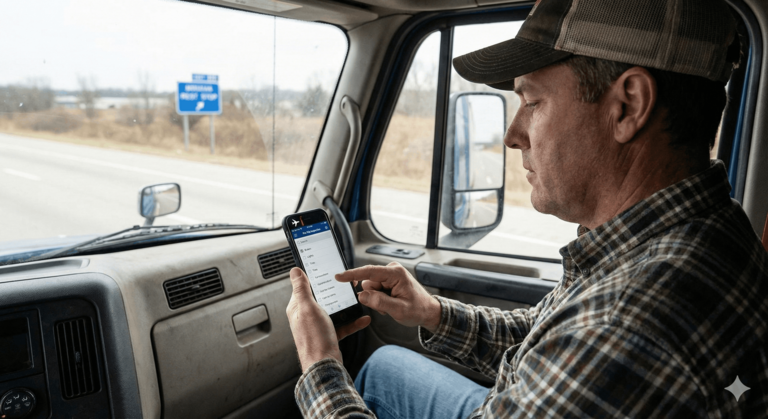
For fleets operating in standard coverage areas, a Cloud-First application (like PTI4YOU) offers superior safety:
- Instant Visibility: The second a driver logs a "Red Flag" defect, the mechanic gets the alert. There is no waiting for the driver to "sync" later.
- Data Integrity: You never have to worry if the inspection on the dashboard is the most current version. It always is.
- Lighter App: Without storing gigabytes of database files on the phone, the app runs faster on older devices.
Pro Tip: Evaluate your routes. If you operate 95% of the time in cellular coverage, a Cloud-First app ensures your back office has real-time data to make maintenance decisions immediately.
2. Simplicity vs. "Feature Bloat" (The UI Factor)
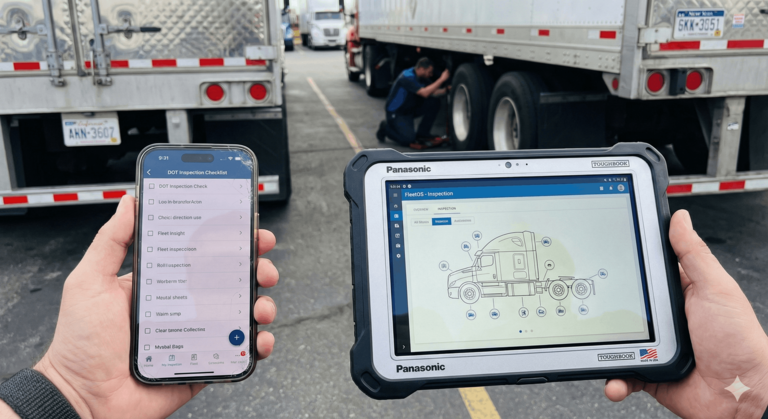
There is a direct correlation between the complexity of software and the accuracy of the data you get out of it. This is known as "UI Fatigue."
Medium-sized fleets often fall into the trap of buying "All-in-One" enterprise platforms. These systems are powerful, but they are dense. If a driver has to navigate five nested menus just to report a cracked mirror, human nature takes over. They will stop reporting minor defects just to avoid the hassle.
The 3-Click Rule
In our experience analyzing thousands of inspections, the most effective software adheres to the 3-Click Rule. A driver should be able to:
- Open the inspection form.
- Log a defect (with a photo).
- Sign and submit.
...all in under 3 minutes. If the software requires a user manual or a training seminar, it is too complex for the field.
3. Audit-Proofing: The "CYA" Factor
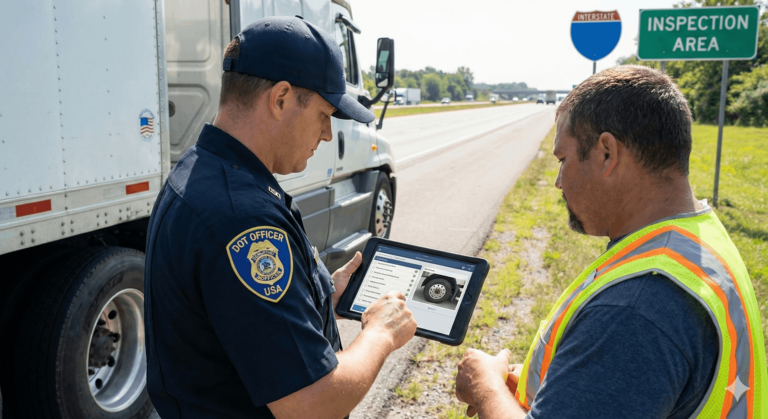
Reliability isn't just about the app not crashing; it's about reliability during a DOT audit. When an officer asks to see your maintenance records, you need immediate, indisputable proof.
Paper logs are notorious for being lost, coffee-stained, or illegible. Reliable automated DVIR solutions create a digital paper trail that protects the fleet manager. Look for these specific features:
A. Mandatory Photo Evidence
He said, she said. That is how arguments start. Digital photos end them. Reliable software should allow (or require) a driver to snap a photo of a defect. More importantly, it should allow the mechanic to snap a photo of the repair.
B. The Mechanic's Loop (FMCSA 396.11)
Under US regulation 49 CFR 396.11, it is not enough to just find a defect. You must certify that it was repaired (or that repair was unnecessary) before the vehicle goes back out. Many generic apps fail here.
Good software enforces this workflow:
- Driver reports defect (Red Flag).
- Mechanic gets alert.
- Mechanic fixes it and signs digitally (Green Flag).
- Crucial Step: The next driver to use that truck sees the repair note and signs off that they accept it.
If your software doesn't force this "Reviewing Driver" signature, you are not compliant.
4. Hardware Independence (BYOD vs. Proprietary)
When calculating the cost of "reliability," you must look at hardware. Some enterprise solutions require you to buy their proprietary tablets, costing $400-$800 per unit. If that tablet breaks, the truck is offline until a replacement ships.
For small and medium fleets, the most reliable strategy is usually BYOD (Bring Your Own Device).
- Flexibility: The software should run smoothly on a $150 Android phone or the driver's personal iPhone.
- Redundancy: If a device breaks, the driver can download the app on a backup phone and log in immediately. No downtime.
- Cost: Zero hardware investment means you have more budget for maintenance.
5. Specialized for US & Canada Regulations
North American trucking is not a monolith. Regulations vary, and "generic" checklist apps often miss the nuance.
United States (FMCSA)
In the US, post-trip inspections are the primary requirement (though pre-trips are standard practice and required by many carriers). The focus is on the DVIR record retention for 3 months.
Canada (NSC Standard 13)
In Canada, the requirements are stricter regarding the Schedule 1 inspection. Drivers must carry the inspection schedule in the cab. A reliable app for Canadian operations must display the specific Schedule 1 checklist items on the screen, ensuring the driver is checking exactly what the law requires.
The Hidden Trap: Many apps built for the European or Asian markets do not support specific US/Canada workflows, such as the "90-Day BIT Inspection" for California carriers. Ensure your software provider is North American-focused.
6. Transparent Pricing & Support
The final pillar of reliability is the business relationship. How reliable is the vendor?
Avoid the "Call for Quote" Trap
If a software company won't show you their price on the website, it usually means two things: it is expensive, and they want to lock you into a long-term contract. For a growing fleet, flexibility is key. Look for:
- Monthly Subscriptions: The ability to cancel anytime keeps the vendor honest. They have to earn your business every month.
- No Implementation Fees: You shouldn't have to pay $2,000 just to set up your account.
- Human Support: When you have a question about a rejected log, can you email a human? Or are you stuck with an AI chatbot?
The 5-Day "Stress Test" Plan
Don't just believe the marketing. If you are evaluating new software, use this 5-day plan during your free trial to test its limits:
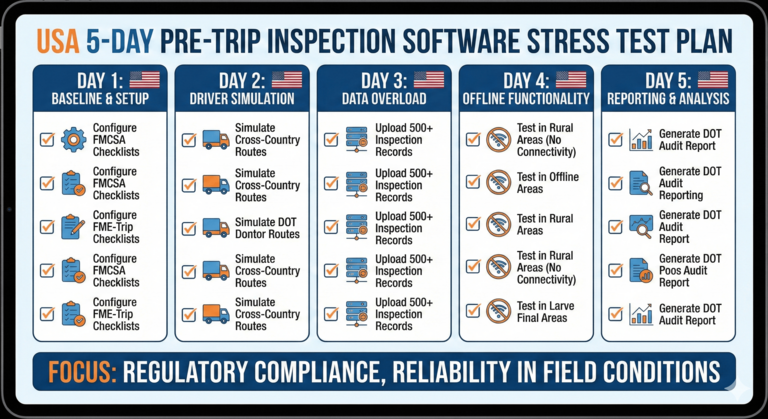
- Day 1: The "Grandma" Test. Hand the app to your least tech-savvy driver with zero instruction. Can they figure it out? If they call you confused, the UI failed.
- Day 2: The Real-Time Alert Test. Have a driver log a critical defect while standing next to you. Watch your dashboard. Does the alert appear instantly? In a reliable Cloud-First system, there should be zero delay between the driver's click and your notification.
- Day 3: The Defect Loop. Intentionally log a defect (e.g., "Broken taillight"). Log in as a mechanic, fix it, and then log in as a driver again to ensure the "Previous Repair" notification appears.
- Day 4: The Audit Drill. Log into the web portal and try to download a PDF report of inspections for a specific truck for the last 3 days. It should take less than 30 seconds.
- Day 5: The Support Ticket. Send a question to customer support. Time how long it takes to get a real answer.
Summary: Who is This For?
Let's be honest about who needs what.
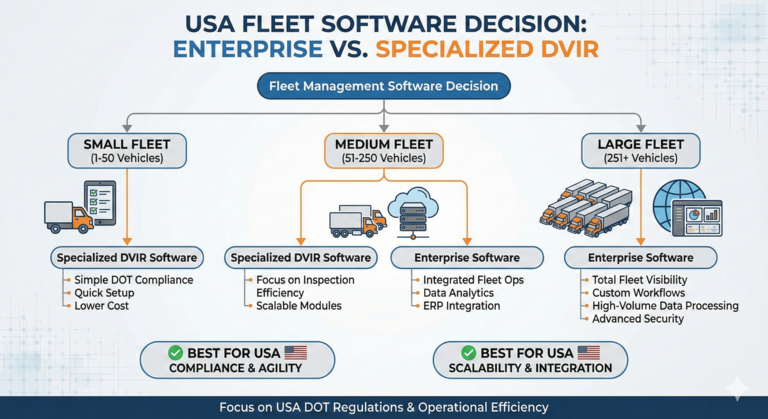
You SHOULD buy Enterprise Software (Samsara/Geotab) if:
- You have 500+ trucks.
- You need complex IFTA fuel tax automation across 48 states.
- You require integrated engine diagnostics and harsh-braking sensors.
You SHOULD buy Specialized DVIR Software (like PTI4YOU) if:
- You have 1 to 100 trucks.
- You want to eliminate paper storage costs.
- You want a tool that drivers won't complain about.
- You want to pass DOT/BIT audits with zero stress.
Ready for Reliability?
At PTI4YOU, we didn't build a spaceship. We built a hammer. It's simple, it's durable, and it does exactly what it's supposed to do.
- ✅ Zero Training: Drivers learn it in minutes.
- ✅ Total Compliance: FMCSA & NSC Standard 13 ready.