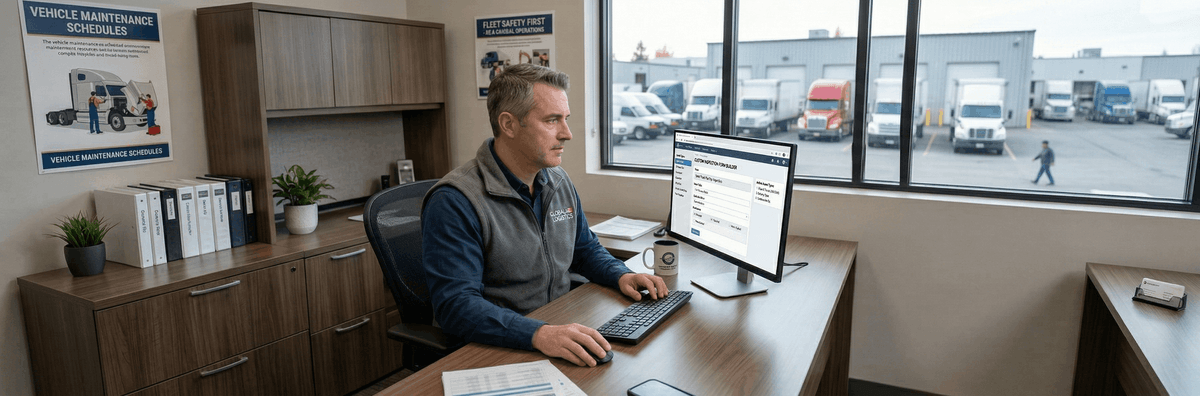
Introduction: The Myth of the "One-Size-Fits-All" Form
In 2026, the transportation and logistics landscape is more diversified than ever. While many operations consist solely of standard Class 8 dry vans, a rapidly growing segment of the industry operates "mixed fleets." These complex organizations run a combination of over-the-road (OTR) semi-trucks, specialized waste management vehicles, heavy construction earthmovers, and nimble last-mile delivery vans. When it comes to regulatory compliance and safety, attempting to force a single, generic paper DVIR (Driver Vehicle Inspection Report) onto every piece of equipment is not just inefficient—it is a massive liability.
Historically, safety managers would purchase bulk boxes of standard FMCSA compliance booklets from truck stops. A heavy equipment operator driving a multi-ton excavator would look at a form asking them to inspect the "glad hands" and "fifth wheel coupling"—components that do not exist on their machine. The result? The operator simply draws a vertical line through the checkboxes, signs the bottom, and completely ignores checking the vital hydraulic systems or track tension that actually matter. This practice, known as pencil whipping, destroys safety culture.
The solution is the implementation of a dynamic electronic dvir system. Modern pre trip inspection software allows fleet managers to completely eradicate the "one-size-fits-all" approach. By utilizing customized digital templates, safety teams can mandate that the inspection criteria perfectly match the physical reality of the asset being operated. Whether ensuring compliance under the FMCSA 396.11 regulations in the USA or the National Safety Code (NSC) Standard 13 in Canada, customizable digital pre trip inspections represent the highest standard of fleet risk management in 2026.
Key Takeaways
- Mixed fleets cannot safely operate using generic paper DVIR forms; doing so leads to pencil whipping and ignored mechanical hazards.
- Advanced pre trip inspection software allows fleets to build distinct, asset-specific digital templates for semi-trucks, garbage trucks, construction equipment, and delivery vans.
- Specialized vehicles (like waste management and heavy construction) require rigorous checks of hydraulic lines, PTOs, and structural integrity that fall entirely outside standard DOT forms.
- Cross-border fleets must utilize flexible systems capable of aligning with both US FMCSA mandates and Canadian provincial NSC Standard 13 schedules.
Class 8 Semi-Trucks & Trailers: The Compliance Baseline
When discussing the electronic pre trip inspection, the Class 8 tractor-trailer represents the industry baseline. This is the vehicle profile for which traditional FMCSA regulations were primarily written. However, even within this "standard" category, a custom digital approach drastically outperforms paper.
A comprehensive digital form for a semi-truck must rigorously cover the mechanics of heavy hauling. This includes the intricate details of the air brake system (checking the low air warning device, air compressor build-up rate, and conducting a 1-minute applied leakage test). Furthermore, coupling devices demand intense scrutiny. A digital form should not merely ask "Is the fifth wheel okay?"; it should require the driver to specifically verify that the release arm is fully engaged, the locking jaws are secured around the kingpin shank, and the mounting bolts are intact.
Where an electronic dvir system truly shines is in trailer variability. If a driver hooks up to a refrigerated reefer trailer, the app should automatically inject questions regarding the reefer unit's fuel levels, engine oil, and temperature calibration. If they are pulling a flatbed, the system must mandate checks on winch straps, chains, and headache racks. By using software like PTI4YOU, managers guarantee that the inspection dynamically adapts to the specific freight being hauled, which is critical for surviving intense scrutiny during roadside DOT Compliance Reviews.
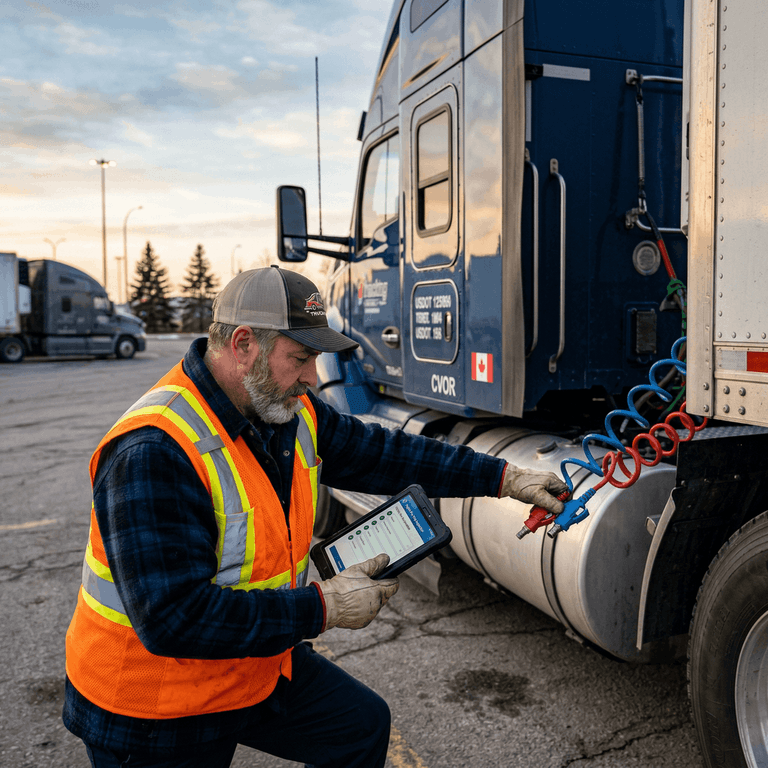
Waste Management Vehicles: Inspecting Under High Pressure
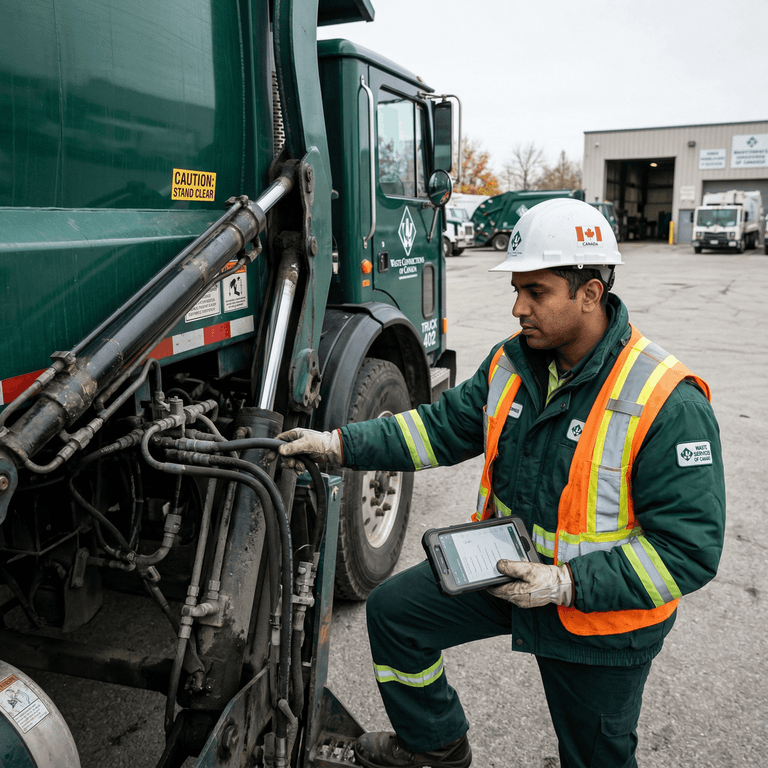
Waste management vehicles, such as front-loaders, rear-loaders, and roll-off garbage trucks, operate under some of the most grueling duty cycles in the transportation sector. These vehicles navigate tight residential streets, stop hundreds of times a day, and endure massive payload variations. Consequently, a standard highway truck DVIR is wholly inadequate for a garbage truck daily inspection.
The core of a refuse vehicle lies in its hydraulics and Power Take-Off (PTO) systems. A custom digital pre trip inspection form for these assets must explicitly require the operator to inspect high-pressure hydraulic hoses for chafing, weeping, or catastrophic bulges. The inspection must include the functionality of the packer blade, the structural integrity of the lifting arms, and the condition of the hopper.
Furthermore, because garbage trucks operate heavily in pedestrian-dense areas, the digital form must place hyper-focus on visual safety aids. Drivers must be prompted to test backup cameras, cross-view mirrors, and reverse warning alarms. If an operator reports a defect on a hydraulic cylinder using an app like PTI4YOU, they can be forced to upload a timestamped photo of the leak. This instantly routes a high-priority digital work order to the specialized hydraulics mechanic, bypassing the standard diesel engine queue and dramatically reducing vehicle downtime.
Heavy Construction Equipment: Yellow Iron Demands Customization
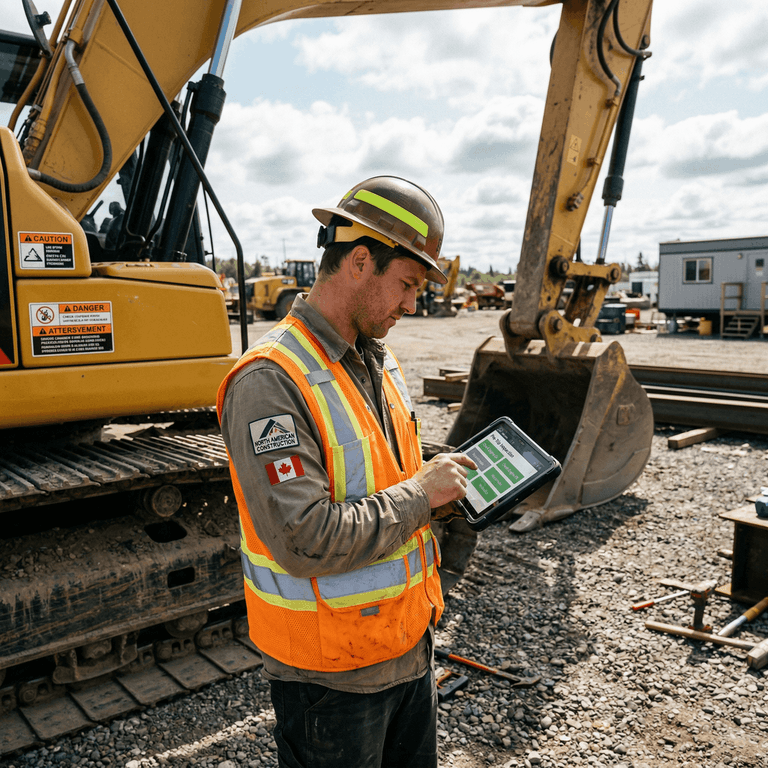
Perhaps no sector suffers more from the "generic DVIR" problem than heavy civil construction. When a company utilizes excavators, bulldozers, wheel loaders, and articulated dump trucks (often referred to affectionately as "yellow iron"), standard DOT road regulations begin to blur with stringent OSHA (Occupational Safety and Health Administration) and CCOHS workplace safety standards.
A highly customized heavy equipment inspection checklist is not a luxury; it is a vital safety requirement. Track-mounted equipment like excavators require daily inspections of track tension, undercarriage rollers, and sprocket teeth—items entirely foreign to a commercial truck driver. Wheel loaders working in dusty quarries require specific checks on engine air pre-cleaners and articulation joint greasing.
Using a flexible electronic dvir system, equipment managers can build specialized digital forms that prompt operators to check the integrity of Rollover Protective Structures (ROPS) and Falling Object Protective Structures (FOPS). The software can be configured to ask specific questions about bucket teeth wear, hydraulic boom cylinders, and swing drive fluid levels. Because construction sites often lack reliable cellular service, choosing an app with robust offline functionality is critical. The operator completes the deep mechanical inspection in the dirt, and the data automatically syncs to the cloud the moment the tablet connects to the job trailer's Wi-Fi.
Last-Mile Delivery Vans: Agility and High-Frequency Checks
The explosive growth of e-commerce has led to massive fleets of Class 2 and Class 3 step vans and cargo vans dominating suburban streets. While these vehicles do not carry the sheer destructive weight of an 80,000-pound tractor-trailer, their unique operational profile demands a specific custom pre trip inspection form.
Last-mile delivery drivers can execute over 150 stops in a single shift. This places extreme, repetitive stress on specific components: starter motors, parking brakes, side sliding doors, and rear roll-up doors. A digital checklist for these vehicles must heavily index on these high-wear items. If a rear roll-up door is binding or lacking proper spring tension, it poses a severe ergonomic hazard to the driver.
Furthermore, as we progress through 2026, a significant portion of these last-mile fleets have transitioned to Electric Vehicles (EVs). Traditional internal combustion engine (ICE) checks for oil leaks and exhaust systems are obsolete here. The pre trip inspection software must be updated to include visual inspections of high-voltage charging ports, battery coolant levels, and regenerative braking functionality. A customizable platform seamlessly handles this transition without requiring the fleet to purchase entirely new software.
Do Canadian Fleets Require Different Electronic DVIR Systems Than US Fleets?
While the core digital functionality remains identical, Canadian commercial fleets must adhere to the prescriptive National Safety Code (NSC) Standard 13, which mandates specific inspection schedules (Schedule 1 for trucks and trailers, Schedule 2 for buses, Schedule 3 for motor coaches) based on the vehicle classification. Elite pre-trip inspection software allows cross-border carriers to dynamically toggle between US FMCSA 396.11 checklists and Canadian NSC schedules within a single application.
Regulatory Alignment: US FMCSA vs. Canadian NSC Standard 13
For fleets operating near the northern border, international compliance is a daily operational reality. The digital tools utilized must be fluent in the legal languages of both nations.
In the United States, commercial motor vehicle inspections are governed primarily by the FMCSA, specifically under 49 CFR Part 396.11 (Driver Vehicle Inspection Reports) and 396.13 (Driver Inspection). The US model is highly focused on a standardized set of components (brakes, steering, lights, tires, coupling) and mandates a rigorous signature cycle between the driver discovering a defect and the mechanic repairing it.
Conversely, in Canada, commercial vehicle compliance is structured around the National Safety Code (NSC) Standard 13 for trip inspections. Standard 13 is notably prescriptive, dividing vehicles into specific categories that dictate the exact schedule of inspection items. For example, Schedule 1 applies generally to trucks and trailers, while Schedule 2 is specific to buses, and Schedule 3 covers motor coaches. A top-tier electronic dvir system deployed in North America must allow a fleet manager to instantly toggle a vehicle's profile between FMCSA compliance criteria and the specific Schedule required by NSC Standard 13, ensuring that drivers crossing from Michigan into Ontario, or Washington into British Columbia, remain perfectly compliant on both sides of the border.
5 Steps to Roll Out Custom Fleet Inspections for Mixed Assets
Transitioning from generic paper to highly customized digital forms is a strategic project. Follow this proven framework to ensure your mixed fleet adopts the new digital pre trip inspection system effectively.
-
Step 1: Categorize Your Fleet Assets
Group your entire fleet inventory strictly by asset class. Create distinct, isolated categories for Class 8 Semi-Trucks, Trailers (sub-categorized into dry van, reefer, flatbed), Light-Duty Step Vans, Waste Management Vehicles, and Heavy Construction Equipment. Recognize that each group will require a wholly unique template.
-
Step 2: Map Regulatory and Manufacturer Requirements
For each category, combine the mandatory federal or provincial requirements (e.g., FMCSA 396.11 or NSC Standard 13) with the specific Original Equipment Manufacturer (OEM) maintenance recommendations. The OEM manual is your blueprint for inspecting specialized hydraulic systems, tracks, or pumping mechanisms.
-
Step 3: Build Dynamic Templates in the DVIR App
Log into the administrative backend portal of your electronic dvir system. Use the platform's drag-and-drop form builder to recreate these lists. Crucially, incorporate conditional logic. For example, configure the software so that if a driver reports a 'Defect' on a specific structural part, the app immediately and mandatorily prompts them to take a live photo of the damage before they can submit the report.
-
Step 4: Configure Mechanic Work Order Routing
A custom form is only as good as the repair workflow it triggers. Set up digital routing rules based on the asset type and defect category. Ensure that a failed hydraulic line inspection on a garbage truck routes directly to the specialized hydraulics mechanic, while a tire defect on a delivery van routes to the contracted mobile tire vendor.
-
Step 5: Conduct Field Testing and Driver Training
Before executing a fleet-wide rollout, have your most experienced operators test the custom forms in the field. Gather their feedback on the flow and wording. Adjust the templates to match their operational reality, and then hold a mandatory training session for all operators to demonstrate the new, highly specific digital workflow.
Frequently Asked Questions (FAQ)
Why can't I use a standard FMCSA paper DVIR for construction equipment?
Standard FMCSA 396.11 checklists are designed specifically for commercial highway vehicles. They lack crucial inspection points for heavy construction equipment, such as hydraulic boom cylinders, crawler track tension, bucket teeth integrity, and Rollover Protective Structures (ROPS). Using a generic form means critical safety hazards on specialized equipment will go undocumented and uninspected.
Do Canadian fleets require different electronic DVIR systems than US fleets?
While the core functionality of an electronic DVIR system remains the same, Canadian fleets must adhere to the National Safety Code (NSC) Standard 13, which has specific mandatory schedules (Schedule 1, 2, 3) depending on the vehicle type. A top-tier pre trip inspection software like PTI4YOU allows Canadian carriers to load these specific provincial and federal schedules digitally, ensuring cross-border compliance.
How does pre trip inspection software handle specialized attachments?
Advanced digital pre trip inspection platforms utilize dynamic, condition-based logic. If a driver selects that a truck is equipped with a specific attachment (like a snow plow, a specialized lifting crane, or a concrete mixer drum), the software automatically generates additional, targeted inspection questions related specifically to that attachment's hydraulic lines, mounting bolts, and safety latches.
Are digital inspection photos legally binding in a DOT audit?
Yes. When taken within a compliant electronic DVIR system that captures embedded GPS coordinates and unalterable timestamps, digital photos provide far stronger legal defense during a DOT audit or compliance review than a handwritten checkmark. They irrefutably prove the physical condition of the asset at the exact time of the inspection.
Conclusion: Future-Proof Your Fleet with Adaptable Software
Managing a mixed fleet of semi-trucks, waste management vehicles, and heavy construction equipment requires a surgical approach to safety and maintenance. Relying on antiquated, one-size-fits-all paper logs creates massive blind spots in your compliance strategy, practically inviting devastating DOT violations, catastrophic equipment failures, and unsafe working environments for your operators.
By upgrading to a highly customizable electronic dvir system in 2026, you empower your drivers and operators with tools designed specifically for the machines they command. You eliminate pencil whipping, streamline the flow of critical mechanical data to your shop, and build an airtight, audit-ready record of safety. In the complex world of modern fleet logistics, adaptability isn't just a software feature—it is the ultimate operational advantage.
Digitize and Customize Your Fleet Inspections with PTI4YOU
Stop forcing specialized equipment into generic checkboxes. PTI4YOU provides the ultimate DOT-compliant, highly customizable eDVIR platform designed for the realities of mixed fleets. Build specific templates for your heavy iron, mandate photo verification, and seamlessly navigate both FMCSA and Canadian NSC Standard 13 compliance.
Start your 15-day free trial today. No credit card required.
Start Your 15-Day Free Trial – No Credit Card RequiredZero setup fees. Zero hardware. 25-minute driver onboarding.