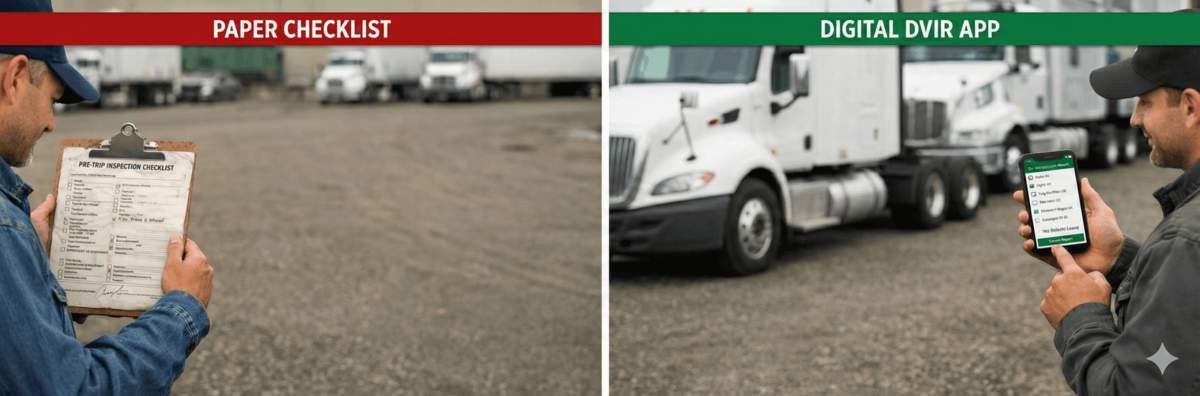
It’s 5:00 AM. It’s 34 degrees outside, and a cold rain is blowing sideways across the terminal yard. Your driver grabs a flashlight, a rusty clipboard, and a slightly crumpled pre-trip inspection checklist for heavy duty trucks that was printed off the internet three weeks ago.
By the time they finish checking the tandem axles, the paper is soaking wet. The ink is running. They scribble a note about a low drive tire, toss the clipboard onto the passenger seat, and hit the road. Three days later, the safety manager tries to decipher that smeared blue ink, fails, and files the paper away in a cabinet. The tire never gets fixed.
If you run a commercial fleet, you know this story. It happens every single day.
For decades, the standard procedure has been to scour Google for a "90 day bit inspection form free printable" or a generic PDF checklist, print off a ream of copies, and hope the drivers actually fill them out. But as we move deep into 2026, the FMCSA is cracking down on sloppy paperwork, and plaintiff lawyers are using missing inspection data to secure nuclear verdicts in court.
Let's take a brutally honest look at the old-school PDF checklist compared to a modern electronic dvir app. Is "free paper" actually costing you thousands?
Key Takeaways: PDF vs Digital App
- Data Quality: PDFs encourage "pencil whipping" (checking boxes without looking). Apps can enforce time-delays and mandate photos of actual defects.
- Audit Readiness: Searching for a 3-month-old paper record during a DOT audit is a nightmare. A digital pre trip inspection provides instant, searchable cloud history.
- The Real Cost: While a PDF is free to download, the hidden costs of lost mechanic time, illegible notes, and DOT fines make an electronic dvir system infinitely more cost-effective.
1. The 5 AM Struggle: Clipboards in the Rain
Before we look at the software, we need to respect the reality of the driver's job. A heavy duty truck is a complex, 80,000-pound piece of machinery. Checking it properly is not a suggestion; it is the line between a safe delivery and a catastrophic highway failure.
When a fleet owner starts their business, the first instinct is to keep expenses at absolute zero. They look for affordable electronic inspection systems for DOT compliance, but usually end up settling for a free PDF. They hand the driver a pen and say, "Make sure you do this every morning."

Figure 1: The harsh reality of paper forms in the transportation industry.
But a piece of paper has no brain. It cannot tell you if the driver actually walked around the trailer, or if they just sat in the warm cab listening to a podcast while drawing a straight line down the "OK" column. This phenomenon—pencil whipping—is the primary reason why fleets fail roadside inspections.
2. Anatomy of a Heavy Duty Inspection
Let's break down what actually needs to be on that list. Whether you use a PDF or the most reliable pre trip inspection software, the FMCSA requires specific components to be verified daily. A proper heavy duty checklist includes:
- Under the Hood: Engine oil, coolant levels, power steering fluid, belt tension, and air compressor mounting.
- In-Cab Check: The critical air brake test (applied pressure, warning alarms, and tractor/trailer valve pop-out), gauges, horn, windshield wipers, and emergency equipment (fire extinguisher, triangles).
- Exterior Walkaround: Steer tires (minimum 4/32 tread depth), drive tires (minimum 2/32), rims, lug nuts, suspension components (leaf springs, U-bolts), and all lighting devices.
- Coupling System: Fifth wheel skid plate, locking jaws, kingpin, glad hands, and electrical lines.
- Trailer: Landing gear functionality, sliding tandems, door latches, and placards.
On a paper PDF, this is a massive wall of tiny checkboxes. It is visually overwhelming, which is exactly why drivers rush through it. They aren't mechanics, and staring at a dense grid of 60 items at 5 AM is a recipe for non-compliance.
3. The "Free Printable PDF" Trap
Why do safety managers eventually hate the PDF checklist? It comes down to workflow and liability.
Let's say a driver actually does their job perfectly. They find that the locking jaws on the fifth wheel are excessively worn. They check the little box on the paper, write a note, and drop the paper in the terminal's "inbox."
Now what?
The paper sits there until the maintenance manager finishes their coffee, walks over, and reads it. If the handwriting is terrible, the manager has to call the driver. "Hey Mike, what does this say? Is it the fifth wheel or the steering wheel?"
Furthermore, the FMCSA 396.11 rule mandates a strict 3-step signature process when a defect is found. The mechanic must sign off on the repair on the original document, and the *next* driver must review and sign that same document. Trying to track down three different people to sign one specific piece of greasy thermal paper is an administrative nightmare.
Why Do Safety Checks Keep Getting Skipped or Forgotten?
If you ask a room full of safety directors, "why do safety checks keep getting skipped or forgotten?" the answers usually point to driver laziness. But the truth is rooted in bad operational design. When a driver is pressured to maximize their Hours of Service (HOS) and hit the road, a dense paper checklist feels like a bureaucratic hurdle rather than a safety measure.
On paper, skipping a check has zero immediate consequences. A driver can bypass the air brake test, check the "OK" box, and the paper accepts the lie. There is no physical barrier preventing them from starting the engine. Furthermore, if you operate in California and rely on a paper 90 day bit inspection form, the administrative burden on the driver doubles. They end up managing multiple pieces of paper, tracking mileage intervals manually, and trying to remember which terminal inbox gets which form. When compliance relies solely on human memory and goodwill, it fails.
4. The Rise of the Electronic DVIR App
This is where the industry is shifting rapidly. The solution to the paper nightmare is driver vehicle inspection report software—specifically, mobile apps that run right on the driver's smartphone or an ELD tablet.
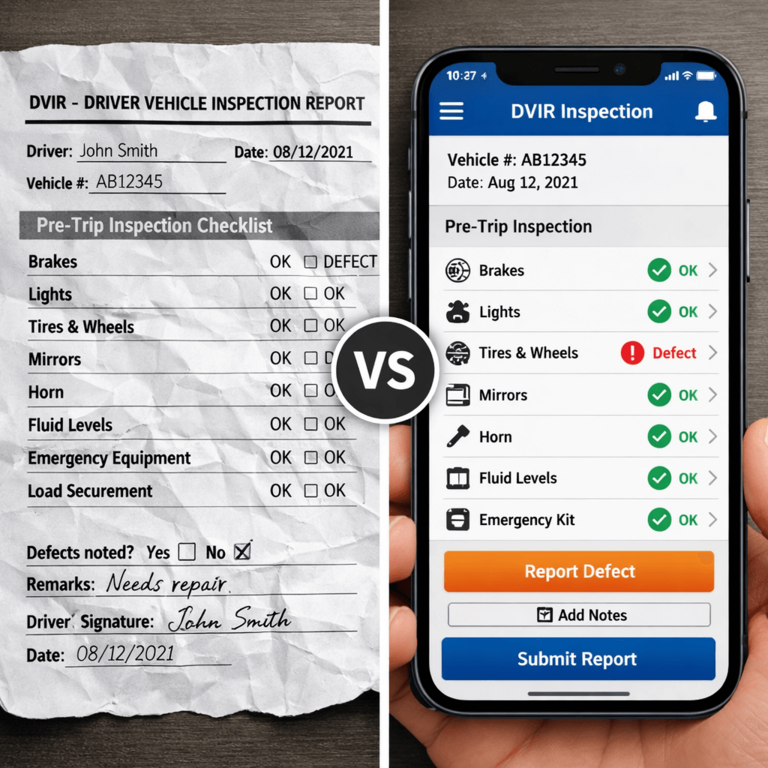
Figure 2: The visual evolution of the DOT inspection process.
An electronic dvir system completely changes the psychology of the inspection. Instead of a dense wall of text, the app guides the driver step-by-step. "Check front tires." (Tap). "Check engine fluids." (Tap). It's interactive.
More importantly, it forces accountability. If you are comparing automated DVIR solutions for medium-sized fleets, the digital features heavily outweigh paper:
- Mandatory Photo Capture: If a driver marks "Bad Tire," the app physically prevents them from moving to the next step until they take a photo of the tire with their phone camera. This eliminates vague descriptions and gives the mechanic exactly what they need.
- Time-Stamps & Guardrails: The software knows if a driver clicked through a 60-point inspection in 42 seconds. It will instantly flag the report to the safety director for review.
- Instant Communication: The moment the driver hits "Submit," the report pings the shop's dashboard. Maintenance can order parts before the truck even gets back to the yard.
5. Head-to-Head Comparison: Paper vs. Pixels
Let's look at a direct, side-by-side comparison to see why fleets are searching to compare automated dvir solutions instead of printers.
| Feature | Free PDF Checklist | Electronic DVIR App (PTI4YOU) |
|---|---|---|
| Initial Cost | Free to download | Low monthly SaaS subscription |
| Hidden Costs | High (Ink, paper, physical storage cabinets, lost mechanic time) | Zero (Cloud storage included) |
| Defect Reporting | Illegible handwriting, vague descriptions ("broken light") | High-res photos, voice-to-text notes, specific categorization |
| Audit Readiness | Requires hours of digging through files; prone to faded thermal paper | Type in the Truck VIN, export a clean 90-day PDF history instantly |
| Driver Accountability | None. Easy to "pencil whip" without looking at the truck | Time-tracking and GPS validation prevent fake inspections |
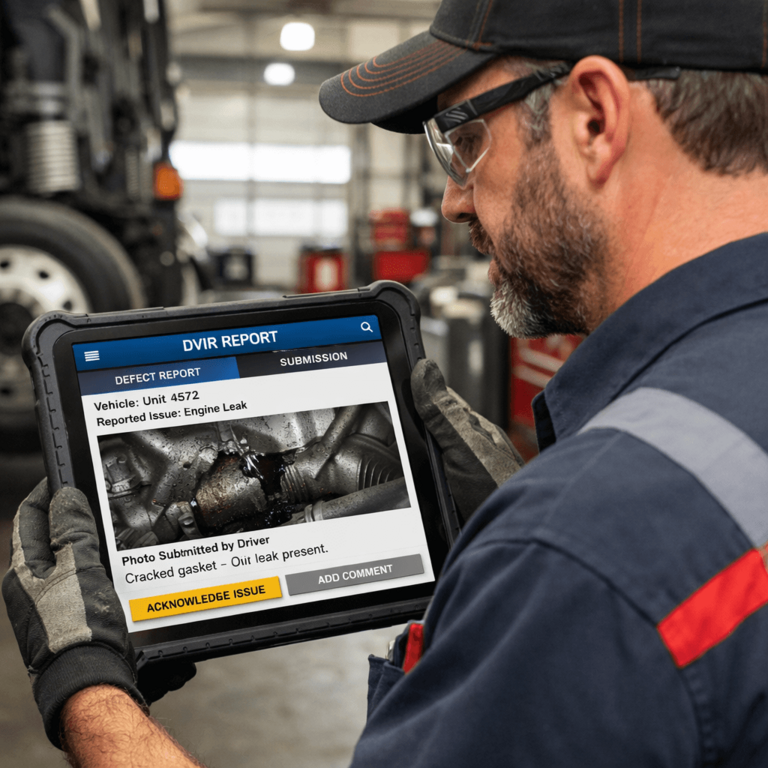
Figure 3: Photo capture ends the "guessing game" for mechanics, vastly speeding up repair times.
6. Safety Director Insight: The Real ROI
At PTI4YOU, we've guided hundreds of fleets through this exact transition. When we speak to a Safety Director who is hesitant to pay for a digital pre trip inspection tool, we ask them one question: "What is the true cost of a missed defect?"
The reality of dvir trucking compliance is that paper is only cheap until you get audited. If a driver ignores a fraying brake line because they don't want to deal with the messy paperwork, and that brake line blows on the interstate, you aren't just looking at a standard tow bill. You are looking at DOT fines, out-of-service (OOS) downtime, massive insurance premium hikes, and potential nuclear litigation. When plaintiff lawyers investigate an accident, the first thing they subpoena is your DVIR history. If those PDF printouts are missing, illegible, or unsigned, your fleet is entirely unprotected. We break down these hidden costs heavily in our Paper vs Electronic DVIR Cost Calculator guide.
A good app is not an expense; it is the cheapest insurance policy your fleet can buy. It standardizes the workflow. It ensures that every single driver, whether they are a 30-year veteran or a rookie fresh out of CDL school, inspects the truck the exact same way.
7. Frequently Asked Questions
Is a PDF pre-trip inspection checklist legal for DOT compliance?
Yes. A printed PDF checklist is legally compliant as long as it covers all the mandatory vehicle components outlined in FMCSA 396.11 and includes the proper signature fields. However, it is much harder to store and audit than digital records.
Will DOT officers accept an electronic DVIR app on my phone?
Absolutely. Under 49 CFR 390.31, the FMCSA permits the use of electronic records and signatures. You can simply hand your smartphone or tablet to the officer during a roadside inspection. They see clean, typed data instead of messy handwriting, which often makes the inspection go smoother.
What is the best free DVIR app?
While there are basic free DVIR apps available, they often lack critical features like historical cloud storage, mechanic signature loops, or detailed expense tracking. For true compliance, investing in affordable electronic inspection systems for DOT compliance is highly recommended over "free" basic tools that might fail you during an audit.
Does an electronic pre-trip inspection take longer than paper?
No. In fact, a digital pre trip inspection usually saves time. Drivers don't have to rewrite standard truck info (VIN, mileage, carrier name) every day because the app remembers it, and reporting a defect takes seconds using voice-to-text and a quick photo.
8. Conclusion: Drop the Pen
The PDF checklist was a great tool in 1995. But trucks have evolved, regulations have tightened, and the margins in the transportation industry are thinner than ever. You cannot afford to manage a modern, heavy duty fleet using wet paper and a filing cabinet.
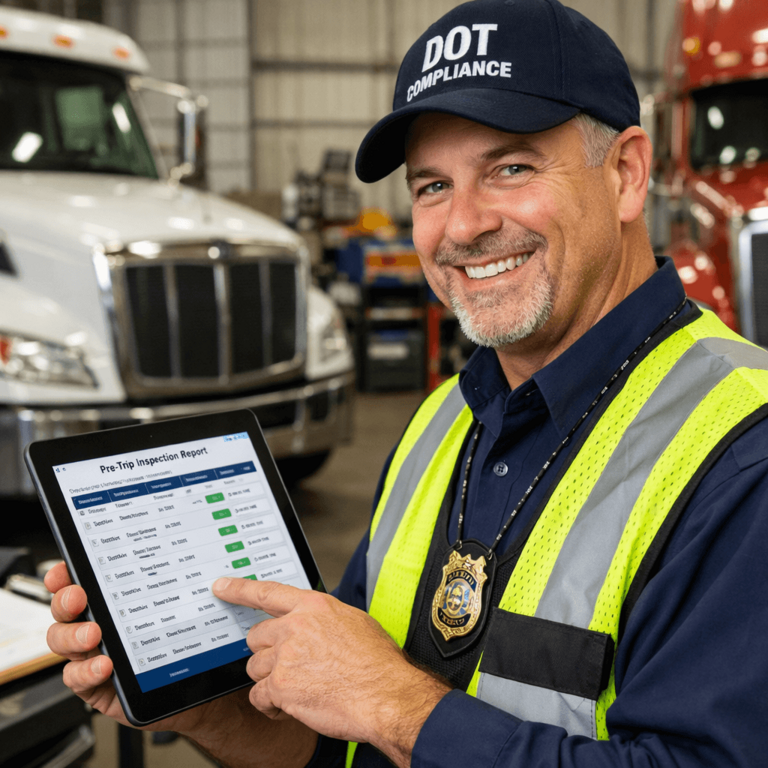
Figure 4: A clean, digital audit trail is the easiest way to keep DOT officers happy and your fleet on the road.
Transitioning from paper to an electronic pre trip inspection app is easier than you think. Drivers already use smartphones for everything else in their lives; giving them a clean, simple app for inspections will make their mornings less stressful and your operations definitely more secure.
Ditch the Clipboard Today
Join the thousands of fleets that have upgraded to PTI4YOU for seamless, DOT-compliant electronic inspections.
Start your 15-day free trial today. No credit card required.
Start Free Trial →