Introduction
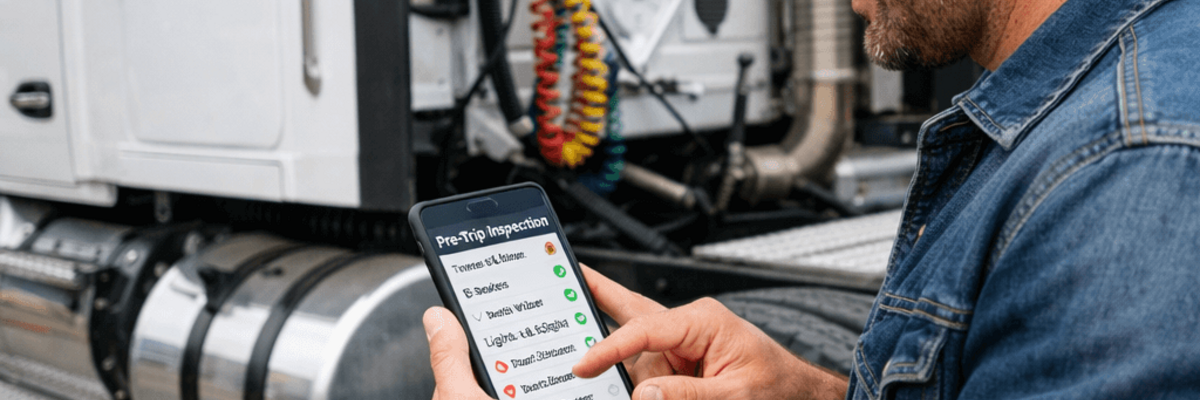
If your fleet is still using paper DVIR forms, you're not alone—but you're also losing money and risking compliance violations. A pre-trip inspection DVIR (Driver Vehicle Inspection Report) software is a digital tool that helps commercial drivers inspect their vehicles before driving and submit legally compliant inspection reports electronically. It replaces paper-based inspection forms with a faster, more accurate, and audit-ready system that saves fleets hours every day.
Quick checklist (what DVIR software should cover):
- Brakes, tires, and lights
- Coupling devices and trailer connections
- Fluid levels and engine compartment checks
- Emergency equipment
- Defect reporting with photos and notes
- Electronic signature + timestamp
- Audit-ready storage and retrieval
Key Takeaways
- Most reliable pre trip inspection software includes offline mode, mandatory photo capture for defects, and closed-loop mechanic signatures for FMCSA §396.11.
- Affordable electronic inspection systems for DOT compliance exist: look for scalable pricing and cloud-based electronic DVIR apps that replace paper logs and guarantee audit-ready records.
- Best dvir software for fleets 2026 delivers driver vehicle inspection report software with automated workflows, instant 90-day history for auditors, and ROI through fewer violations and less mechanic time.
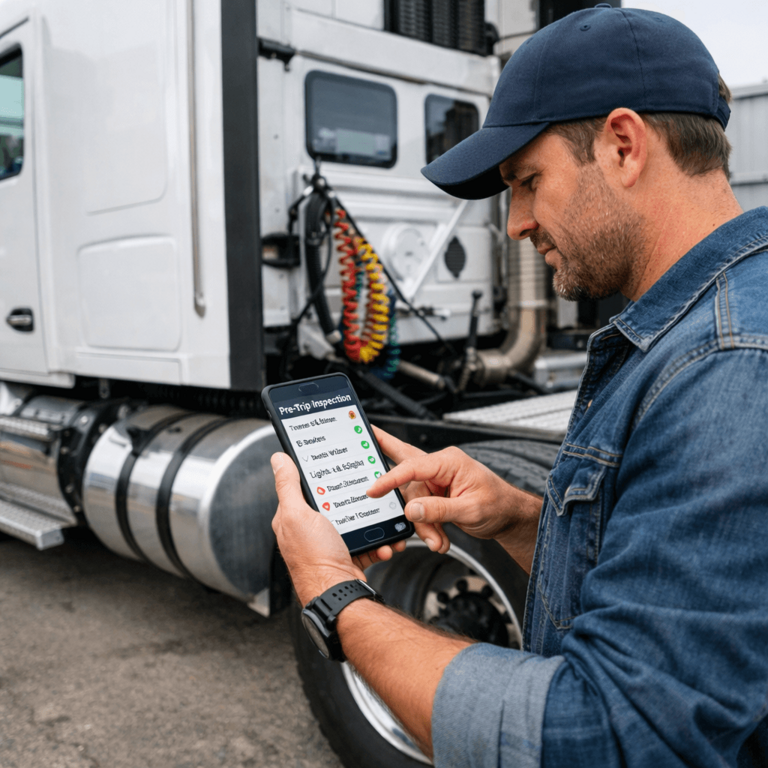
For fleets operating trucks, trailers, buses, or commercial vehicles, pre-trip inspections are not optional. They are required by DOT and FMCSA regulations and play a critical role in road safety. As fleets grow and regulations tighten, DVIR software has become the industry standard.
This guide explains what pre-trip inspection DVIR software is, how it works, why it matters, and how it improves safety, compliance, and operational efficiency.
What Is a Pre-Trip Inspection DVIR?
A pre-trip inspection DVIR is a report completed by a driver before operating a commercial motor vehicle. Its purpose is to confirm that the vehicle is in safe working condition and to identify any defects that could affect safety or compliance.
During a pre-trip inspection, drivers visually and physically inspect critical vehicle components, including:
- Brake systems
- Tires and wheels
- Lights and reflectors
- Steering and suspension
- Mirrors and windshield
- Coupling devices and trailer connections
- Emergency equipment
If a defect is found, it must be documented in the Driver Vehicle Inspection Report and addressed before the vehicle is operated.
What Is DVIR Software?
DVIR software is a digital solution that allows drivers to complete pre-trip and post-trip inspections using a smartphone, tablet, or in-cab device. Instead of filling out paper forms, drivers follow guided inspection steps within an app.
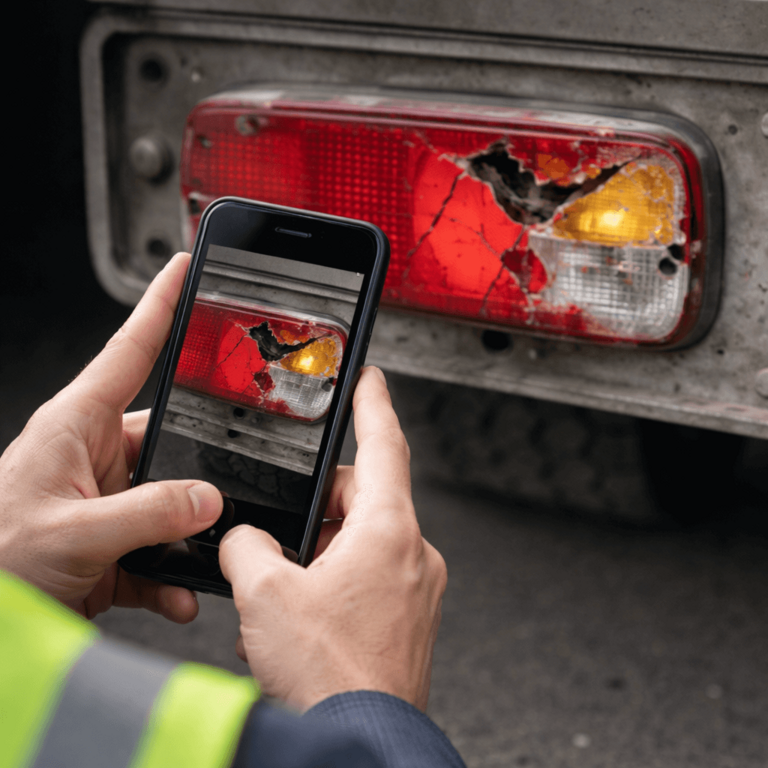
A modern pre-trip inspection DVIR software typically includes:
- Digital inspection checklists
- Photo capture for defects
- Electronic signatures
- Automatic timestamps and GPS location
- Cloud-based storage of inspection records
Fleet managers can instantly access inspection reports, track defects, and ensure repairs are completed.
Why Pre-Trip Inspection DVIR Software Is Important
1. Safety First
Pre-trip inspections help identify issues before they cause breakdowns or accidents. DVIR software improves inspection quality by guiding drivers step by step and reducing missed items.
2. DOT and FMCSA Compliance
Federal regulations require drivers to confirm that vehicles are safe to operate. DVIR software supports compliance with:
- FMCSA §396.11 – Driver Vehicle Inspection Reports
- FMCSA §396.13 – Driver pre-trip inspection requirements
Electronic records are stored securely and can be retrieved instantly during audits or roadside inspections.
3. Reduced Downtime
By identifying defects early and notifying maintenance teams immediately, DVIR software helps prevent unexpected breakdowns and costly roadside repairs.
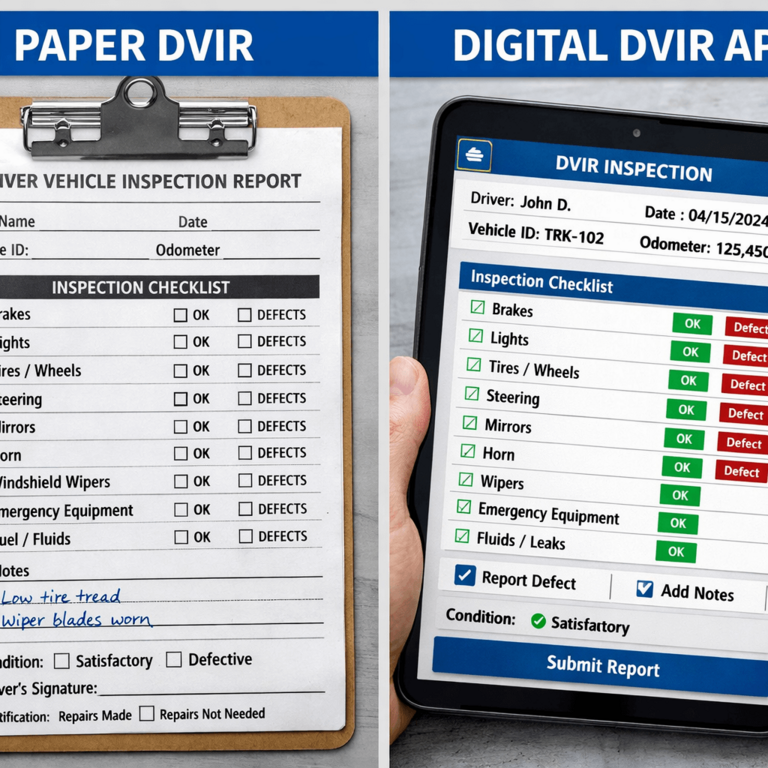
Paper DVIR vs Electronic DVIR Software
| Feature | Paper DVIR | Pre-Trip Inspection DVIR Software |
|---|---|---|
| Completion time | Slow | Fast |
| Human error | High | Low |
| Photo evidence | Not available | Included |
| Record storage | Physical files | Secure cloud |
| Audit readiness | Manual search | Instant access |
Electronic DVIR software eliminates lost paperwork, unreadable handwriting, and manual data entry.
The Day a Paper DVIR Cost a Fleet $8,000 (And How Digital Would Have Prevented It)
A fleet manager in Ohio called us last spring. His driver had been pulled over for a routine DOT inspection. The officer asked to see the pre-trip DVIR from that morning. The driver handed over the paper form—but the signature was missing. The officer issued a violation, and the truck was placed out of service. The load was delayed, the customer was furious, and the fleet lost the contract. Total cost: $8,000 in fines, lost revenue, and a damaged relationship.
Here's what we've learned from helping fleets make the switch from paper to digital DVIRs:
- The "I'll Sign It Later" Trap: Drivers finish their inspection, mark everything as good, but forget to sign before they hit the road. With paper, there's no reminder. Digital DVIR apps won't let you submit until you sign—it's impossible to forget.
- Rain, Wind, and Coffee Stains: Paper forms get destroyed. We've seen DVIRs that were unreadable because they got wet, blown away by wind, or stained with coffee. One driver in Montana lost his entire week's worth of DVIRs when his clipboard fell into a puddle. Digital forms are stored in the cloud—they can't get lost or damaged.
- The "What Did He Write?" Problem: A mechanic in Texas once showed us a DVIR where the driver wrote "brake issue" but the handwriting was so bad, the mechanic couldn't tell if it was the front brakes, rear brakes, or brake lines. He had to call the driver (who was 200 miles away) to clarify. With digital DVIRs, drivers select from a checklist or take a photo—no guessing.
- Peak Season Nightmare: During harvest season, one fleet processes 200+ DVIRs per day. Their office manager was spending 4 hours every evening just filing paper forms. When DOT requested records for an audit, it took them 2 days to compile everything. With digital, that same fleet can generate a complete audit report in 5 minutes.
- The Dispute Resolution: A driver in Alberta claimed a tire defect wasn't there when he did his pre-trip. The fleet manager had no proof either way—just a paper form with "tires OK" checked. The insurance company denied the claim. Digital DVIRs with timestamped photos eliminate these disputes.
What That Ohio Fleet Did: They switched to digital DVIRs the next week. Six months later, they had zero signature violations, zero lost forms, and their office manager got 3 hours of her day back. More importantly, they haven't had a single out-of-service order since.
How Pre-Trip Inspection DVIR Software Works
- Driver logs into the app
- Selects the vehicle and trailer
- Follows a guided inspection checklist
- Marks items as pass or defect
- Adds notes and photos if needed
- Submits the DVIR electronically
Once submitted, the report is immediately available to fleet managers and maintenance teams.
Key Features of a Pre-Trip Inspection DVIR Software
Driver-Focused Features
- Easy-to-use mobile interface
- Step-by-step inspection guidance
- Voice-to-text notes
- Offline inspection mode
- Fast electronic submission
Fleet Manager Features
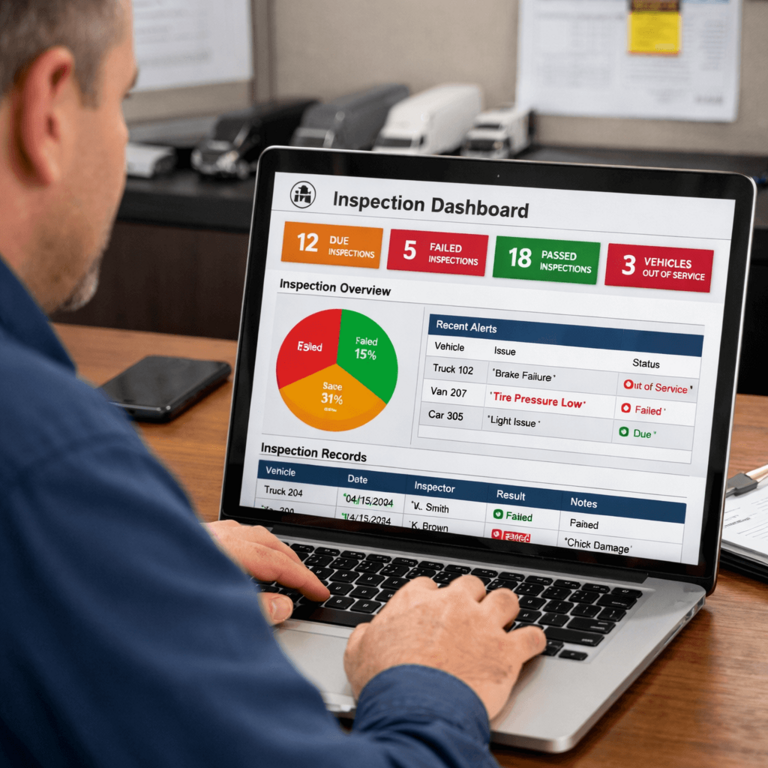
- Real-time inspection dashboards
- Instant defect alerts
- Maintenance tracking workflows
- Compliance and audit reports
- Historical inspection data
How Does DVIR Software Work in Areas with No Cellular Signal?
Top-tier pre-trip inspection software functions completely offline, allowing drivers to execute full DOT inspections, capture high-resolution photos, and digitally sign reports in remote dead zones. The application securely caches the encrypted data locally on the device hardware and automatically synchronizes every inspection, defect photo, and signature to the fleet management cloud dashboard the moment a Wi-Fi or cellular connection is restored.
Offline mode is critical for long-haul routes through rural corridors, mountain passes, construction sites, and remote yards where connectivity is unreliable. Well-engineered DVIR apps keep a full local write buffer so drivers never see an error screen at the start of their shift — the workflow feels identical to a fully-connected session. When the device reconnects, the app reconciles records in FIFO order with cryptographic timestamps preserved, meaning the DOT audit trail reflects the exact moment the inspection was performed rather than the moment it was uploaded. That distinction matters during a 49 CFR 396.11 audit where a minute-level timestamp discrepancy can be used to question the integrity of the record.
Can Electronic DVIR Systems Handle Mixed Fleets of Trucks and Heavy Equipment?
Yes, advanced electronic DVIR platforms empower fleet safety directors to build highly customized, drag-and-drop inspection templates per asset class. Instead of forcing a standardized Class 8 semi-truck checklist onto a specialized asset, administrators can construct distinct digital forms for waste management vehicles, hydraulic excavators, last-mile delivery vans, and passenger buses, ensuring precise and relevant mechanical data collection for each equipment type.
For mixed fleets, a "one form fits all" paper template either skips critical inspection points (e.g., hydraulic cylinders on an excavator, packer blade safety on a garbage truck) or forces drivers to check N/A down dozens of irrelevant rows — both outcomes degrade inspection quality and audit defensibility. A configurable eDVIR platform like PTI4YOU lets safety directors build asset-class-specific templates with required photo evidence, conditional branching (e.g., defect reported → mandatory severity field), and measurement inputs (tread depth, brake pushrod travel), while still feeding a single unified compliance dashboard. This structure preserves the integrity of a FMCSA 396.11 or Canadian NSC Standard 13 report across every asset class the fleet operates.
DOT Inspections and Audit Readiness
When a DOT officer requests inspection records, paper logs can slow everything down. With DVIR software, fleets can:
- Retrieve reports in seconds
- Show timestamps and signatures
- Prove defect resolution
This level of transparency reduces fines and improves inspection outcomes.
Who Should Use Pre-Trip Inspection DVIR Software?
DVIR software is ideal for:
- Trucking and logistics companies
- Delivery and last-mile fleets
- Construction and utility vehicles
- Bus and passenger transport operators
- Rental and leasing fleets
Any operation responsible for commercial vehicles benefits from digital inspections.
Benefits for Drivers and Fleets
For Drivers
- Faster inspections
- Clear instructions
- Less paperwork
- Confidence in vehicle safety
For Fleet Owners
- Improved safety culture
- Fewer breakdowns
- Lower maintenance costs
- Stronger compliance posture
Why Choose a Modern DVIR Software Solution
A reliable pre-trip inspection DVIR software helps fleets move from reactive maintenance to proactive safety management. It ensures inspections are completed correctly, defects are addressed quickly, and records are always audit-ready.
Digital DVIR solutions are no longer just a convenience — they are a competitive advantage.
How to Choose and Implement Pre-Trip Inspection DVIR Software
Deploying electronic DVIR systems for DOT compliance doesn't have to be painful. Here is a step-by-step guide to evaluating and rolling out the software for your fleet:
- Define your fleet needs: Identify vehicle types, inspection frequency, and specific DOT/FMCSA requirements for your operations.
- Compare features: Require offline mode, mandatory photo capture for defects, and closed-loop mechanic signatures.
- Verify audit readiness: Ensure the system can produce a 90-day DVIR history and formatted reports instantly for highway patrol officers.
- Pilot with a small group: Run a trial with a subset of your most tech-savvy drivers and vehicles before a full rollout.
- Train drivers and mechanics: Roll out a 15-minute training session and switch from paper to electronic DVIRs with a firm, clear cutover date.
How do you compare automated DVIR solutions for medium-sized fleets in 2026?
When comparing automated DVIR solutions for medium-sized fleets, the critical differentiator is hardware dependency. Premium legacy telematics providers typically require proprietary ELD hardware and multi-year contracts. Specialized compliance software like PTI4YOU offers "Zero Hardware Lock-In" — it runs on any driver's existing smartphone (BYOD) for a transparent, flat monthly subscription.
For fleets operating up to 100 vehicles, avoiding feature bloat and alert fatigue is essential. The comparison below contrasts legacy telematics ecosystems with focused eDVIR compliance platforms:
| Evaluation Criteria | Legacy Telematics (e.g. Motive, Samsara) | Specialized eDVIR (PTI4YOU) |
|---|---|---|
| Hardware Dependency | Requires proprietary dashcams, sensors, and ELD units | Zero Hardware Lock-In (BYOD — iOS / Android) |
| Pricing Structure | High monthly cost + upfront hardware capital expenditure | Transparent, flat monthly subscription per asset |
| Contract Terms | Rigid 3–5 year agreements | No annual contracts required |
| Implementation Time | Weeks to months (physical fleet grounding required for installation) | Minutes to hours (25-minute driver onboarding) |
| Primary Focus | Broad logistics, GPS tracking, deep engine diagnostics | Strict DOT/FMCSA compliance, 3-signature cycle, audit readiness |
The Real ROI of DVIR Software
Fleet managers evaluating pre trip inspection software often ask: does the investment pay off? The return comes from three areas:
- Time savings: Drivers complete electronic DVIRs faster than paper; mechanics get instant defect alerts instead of chasing handwritten notes. Many fleets report 15–30 minutes saved per driver per day.
- Fewer violations: Missing signatures, lost forms, and unreadable handwriting cause DOT and FMCSA violations. An electronic dvir system with mandatory signatures and photo capture eliminates these failure points—reducing fines and out-of-service orders.
- Audit readiness: When an auditor requests a 90-day history, you export a clean PDF in seconds instead of digging through filing cabinets. That translates to less admin time and a stronger compliance posture.
For affordable electronic inspection systems for DOT compliance, look for scalable pricing that grows with your fleet and replaces paper, printing, and filing costs with a single cloud-based driver vehicle inspection report software.
Final Thoughts
A pre-trip inspection DVIR (Driver Vehicle Inspection Report) software is an essential tool for any fleet that values safety, compliance, and efficiency. By replacing paper inspections with a digital system, fleets reduce risk, improve operations, and protect drivers and assets.
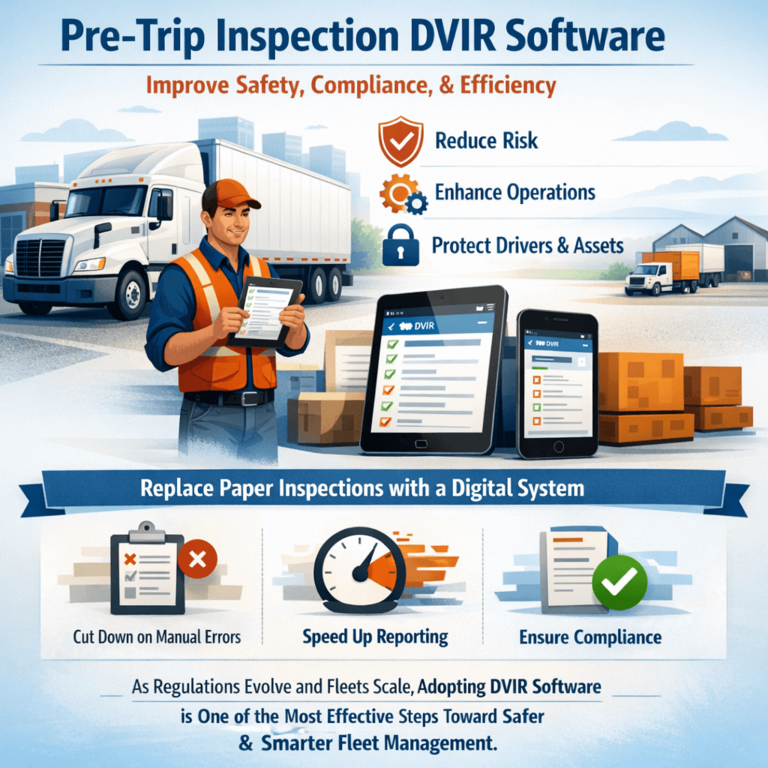
As regulations evolve and fleets scale, adopting DVIR software is one of the most effective steps toward safer and smarter fleet management.
If you’re also looking for the fundamentals of the pre-trip inspection itself (what drivers check and why it’s required), read: What Is a Pre-Trip Inspection and Why Drivers Must Do It.
Frequently Asked Questions
What is the most reliable pre trip inspection software?
The most reliable software includes offline capabilities, mandatory photo capture for defects, and a closed-loop mechanic signature system to ensure full FMCSA compliance.
Where to find affordable electronic inspection systems for DOT compliance?
Platforms like PTI4YOU offer scalable pricing for medium-sized fleets, replacing expensive paper logs with a cloud-based electronic DVIR app that guarantees DOT compliance.
What is DVIR software?
DVIR software is a digital solution that guides drivers through pre-trip and post-trip inspections and generates driver vehicle inspection reports electronically for safety and DOT/FMCSA compliance.
Is DVIR software required by DOT or FMCSA?
Regulations require drivers to confirm vehicles are safe to operate and document inspections in a DVIR. DVIR software isn't required, but it helps fleets meet inspection and recordkeeping requirements more consistently.
What should a DVIR software include?
Common features include digital checklists, defect photo capture, electronic signatures, timestamps, location data, notifications to maintenance, and secure storage for audit-ready records.
Ready to Automate Your Compliance?
Stop chasing missing signatures. Implement the most reliable pre trip inspection software today with PTI4YOU.