
The Bottom Line Up Front: Driver turnover and clunky proprietary hardware are a worse combination than most fleet owners realize — every hour spent fighting a rugged ELD tablet's menu structure during orientation is an hour a new hire isn't earning revenue. A Bring Your Own Device (BYOD) eDVIR app eliminates that learning curve entirely, because drivers are training on an interface they already know: their own phone. With the right platform, a complete eDVIR orientation — download, login, a practice inspection, a photographed defect, and ticket submission — fits inside a 30-minute window on day one.
Key Takeaways: Onboarding New Drivers on eDVIR Software
- Turnover makes onboarding speed a business metric: fleets that run through dozens of new hires a year cannot afford a half-day training program for every one of them.
- Proprietary hardware is the hidden training tax: unfamiliar rugged tablets with dense menus are the single biggest reason orientation drags on and drivers disengage.
- BYOD removes the learning curve: a driver who already knows how to use an iPhone or Android phone needs minutes, not hours, to learn a well-designed driver screen.
- A real 30-minute script works: login, a practice pre-trip, a photographed defect, and a ticket submission cover everything a new hire needs on day one.
The Driver Retention Crisis: Why Onboarding Speed Is a Compliance Issue
Every fleet manager already knows the number even if they don't say it out loud: driver turnover in trucking is brutal. For well over a decade, the American Trucking Associations has tracked annualized turnover at large truckload carriers running well above 90% in many quarters — meaning a fleet that runs 50 trucks can expect to onboard the equivalent of its entire driver roster, or more, in a single year just to stay fully staffed. Smaller regional and specialized carriers often fare somewhat better, but the underlying pressure is the same across the industry: a tight labor market means every day spent on orientation is a day of lost freight capacity, and a bad first-week experience is a direct contributor to a driver walking out the door within the first ninety days.
That reality turns onboarding speed from an HR nicety into an operational and compliance necessity. A driver who hasn't been properly trained on your pre-trip and post-trip inspection workflow is not a minor liability — they are the single point of failure standing between your fleet and a roadside out-of-service order under 49 CFR 396.13. If training that driver on your DVIR process takes half a day because the software is confusing, you have two bad options: rush the training and accept the compliance risk, or burn payroll hours on orientation that should have taken thirty minutes.
This guide is written for the people who actually run that first-day orientation — HR managers, safety directors, and small fleet owners who wear every hat — and it walks through exactly why the hardware and software choice behind your eDVIR program determines whether onboarding is a non-event or a recurring headache.
The Hidden Cost of Clunky Proprietary Tablets
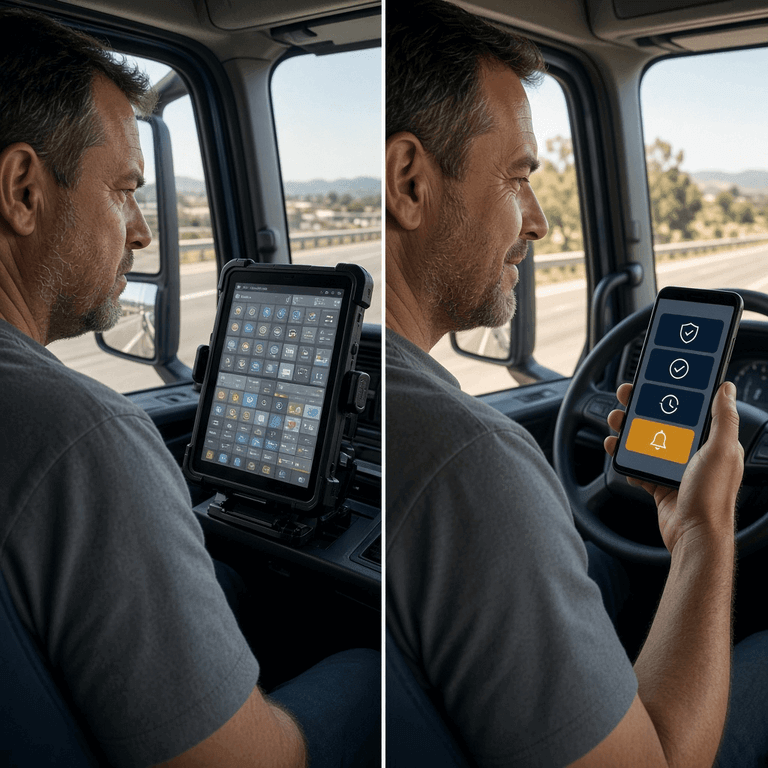
Proprietary, rugged ELD tablets are built for durability in a cab, not for a five-minute learning curve — their dense, multi-layered menu systems are the single most common reason a new driver's first week of inspections turns into a frustrating, error-prone slog that drags out orientation and invites shortcuts.
Walk into the cab of a truck running a legacy telematics system and you'll usually find a hardened tablet bolted to the dash, running a menu structure designed years ago around an enterprise feature list rather than a driver's actual daily task. Finding the inspection module might require navigating through two or three unrelated screens. Submitting a defect might involve a sequence of dropdowns that has nothing to do with how a mechanic would ever describe the problem. None of this is intuitive, and none of it resembles anything a new hire has used before — which means every single new driver starts from zero, regardless of how many years of CDL experience they bring to the job.
The downstream effect is predictable. New drivers either need a trainer to sit with them through their first several inspections, burning payroll hours that should have gone to freight, or they get handed a laminated cheat-sheet and told to figure it out — which is exactly the condition that produces rushed, incomplete inspections and the kind of shortcut behavior we cover in our guide on the hidden cost of pencil whipping. A confusing interface doesn't just slow training down; it actively trains drivers to treat the inspection as an obstacle to clear rather than a safety check to perform.
What Is BYOD, and Why Does It Matter for Driver Training?
Bring Your Own Device (BYOD) means drivers complete their daily inspections on their own personal smartphone — iOS or Android — rather than on carrier-issued, proprietary hardware, which means a new hire's training starts from an interface they have already used thousands of times in their personal life.
The training implication is enormous and often underestimated. Nearly every CDL applicant in 2026 already owns and operates a smartphone daily — checking weather, using maps, texting family, running banking apps. The muscle memory for tapping buttons, taking photos, and navigating a simple mobile app is already built. A BYOD eDVIR platform leverages that existing fluency instead of fighting it, which is the entire reason training time collapses from hours to minutes. There is no unfamiliar hardware to get comfortable holding, no proprietary operating system quirks to learn, and no separate device to remember to charge overnight.
BYOD also solves a second, quieter problem: hardware logistics. Proprietary tablets have to be purchased, provisioned, insured against damage, and replaced when a driver cracks a screen or a unit simply wears out after a few years in a cab. A BYOD model shifts that burden entirely — the driver already owns the device, already has it with them every shift, and already knows how to keep it charged and protected. We cover this exact cost dynamic in more detail in our comparison of hardware-locked telematics platforms for small fleets, where zero hardware lock-in consistently comes out as one of the largest total-cost-of-ownership advantages for carriers running under a few hundred trucks.
Inside a Multi-Role Fleet Platform: ADMIN, BOSS, MANAGEMENT, INSPECTOR, DRIVER
One reason BYOD onboarding can be this fast is architectural: a well-built fleet compliance platform doesn't give every user the same cluttered, do-everything interface. It assigns each person a role, and each role sees only the tools relevant to their job.
- ADMIN — configures the account, manages users, and sets up vehicle types and checklist templates.
- BOSS — the owner-level view across the whole operation, with visibility into every asset and every driver.
- MANAGEMENT — day-to-day fleet and dispatch oversight, assigning vehicles and monitoring open tickets.
- INSPECTOR (mechanic/reviewer) — resolves reported defects, performs service work, and signs off on repairs.
- DRIVER — the simplest role of all, built around one task: complete the inspection in front of you.
This separation is what makes a 30-minute onboarding realistic. A new driver is never handed the ADMIN or MANAGEMENT interface and told to ignore 80% of it — they log in and see a screen built for exactly one job. The defect resolution chain that follows a driver's report — driver flags it, an inspector or mechanic resolves it, a reviewer verifies the fix — is the same accountable, role-based workflow we detail in our guide to managing combination vehicle DVIRs and in our breakdown of the FMCSA 396.11 three-signature cycle. A new driver only ever has to understand their one piece of that chain.
The Driver's View: Big Buttons, a Camera, and Nothing Else
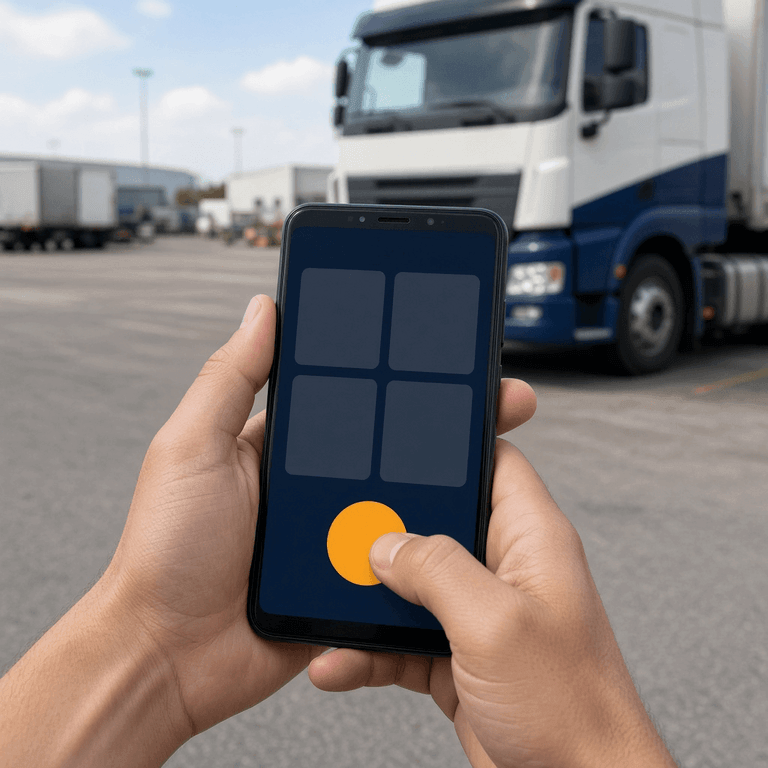
A driver-facing inspection screen that is built correctly has almost nothing to explain: large, clearly labeled buttons for each checklist item, a camera icon for photo evidence, and a single obvious path from "start inspection" to "submit" — which is precisely why training time for the driver role specifically can be measured in minutes rather than hours.
The design philosophy here matters as much as the technology. A driver standing in a cold parking lot at 4 a.m. is not in a position to parse a dense settings menu. The interface needs large touch targets usable with gloves on, a checklist that reads in plain language rather than regulatory jargon, and a photo-capture flow that takes one tap to open the camera and one tap to attach the image to the relevant line item. When a defect is flagged, the driver doesn't need to know anything about the backend ticket routing — they tap the item, note what's wrong, take a photo if it's visual, and move to the next item.
This simplicity is also what keeps a driver honest. Our guide on how digital DVIR software enforces real fleet inspections covers this in depth: when the path of least resistance is to actually look at the component and tap honestly, rather than to find a workaround, drivers simply do the inspection correctly by default. A confusing interface pushes drivers toward shortcuts; a simple one removes the incentive to take them.
See the Driver Screen Before You Hire Your Next Driver
PTI4YOU's driver interface is built around exactly one job: complete the inspection in front of you. No menus to memorize, no proprietary hardware to issue, no half-day training session required.
Start your 15-day free trial today. No credit card required.
Start Your 15-Day Free Trial – No Credit Card RequiredZero setup fees. Zero hardware. 25-minute driver onboarding.
Ticket Status Made Simple: Draft, Created, In Progress
Instead of exposing a new driver to a complex workflow engine, a well-designed eDVIR platform reduces every inspection to a simple, visible ticket status — Draft, Created, and In Progress — so a driver always knows at a glance where their report stands without needing to understand anything about how the backend routes it.
- Draft. The inspection is open and being completed. Nothing has been submitted yet, and the driver can still edit any item.
- Created. The driver has submitted the completed inspection. If a defect was reported, a ticket now exists for the maintenance team to see.
- In Progress. A mechanic or inspector has picked up the reported defect and is actively working the repair, through to the final sign-off that clears the vehicle for the next driver.
This three-stage model is deliberately shallow. A brand-new driver does not need to understand priority queues, assignment logic, or notification routing — they only need to recognize that "Draft" means "still working," "Created" means "submitted," and "In Progress" means "someone is already handling it." That is a concept explainable in under a minute, and it directly supports the accountability chain we detail in our guide to preventive maintenance inspections and mechanic action indicators, where the same status model carries a reported defect from a driver's phone to a resolved, documented repair.
Proprietary ELD Tablet vs BYOD Onboarding: Side-by-Side
If you only remember one section of this article, make it this comparison. It's the fastest way to explain to an owner or a board why hardware strategy is a training-time decision, not just a procurement decision.
| Attribute | Proprietary ELD Tablet | BYOD Smartphone App |
|---|---|---|
| Device familiarity on day one | None — new to every hire | Already familiar (own phone) |
| Typical eDVIR training time | Hours, often spread over several shifts | Under 30 minutes |
| Hardware cost per driver | $200–$600+ device, plus mounts and cases | $0 — driver already owns the device |
| Replacement on damage/loss | Carrier-funded repair or replacement | Driver's own responsibility |
| Interface complexity | Dense, multi-layer enterprise menus | Large buttons, single task per screen |
| Driver pushback risk | Higher — unfamiliar, cumbersome hardware | Lower — drivers use what they already know |
| IT setup required | Device provisioning, mounting, pairing | App Store / Google Play download and login |
None of this is an argument against ELD hardware for hours-of-service logging where federal rules require specific certified devices. It is an argument for decoupling that requirement from your daily inspection workflow wherever possible, so the device a new hire has to learn to operate for DVIRs is the one already in their pocket.
The 30-Minute Onboarding Script You Can Run Today
This is the exact script HR managers and safety directors can run with any new CDL hire on day one. Print it, laminate it, and keep a copy at the orientation desk.
| Time Block | Activity | What the Driver Should Walk Away Knowing |
|---|---|---|
| 0–5 min | Download the app and log in with dispatch-issued credentials | Where to find the app and how to sign in each shift |
| 5–10 min | Tour the home screen: Start Inspection, My Vehicles, My Tickets, Profile | There are only a few buttons, and each one has one job |
| 10–18 min | Run a full practice pre-trip on a demo or spare vehicle | How to move through a checklist item by item |
| 18–23 min | Stage a harmless defect, flag it, and attach a photo | How to flag a problem and capture photo evidence correctly |
| 23–27 min | Submit the ticket and watch its status move from Draft to Created | What Draft, Created, and In Progress mean for their own reports |
| 27–30 min | Answer questions and sign the digital orientation acknowledgment | Who to contact if the app behaves unexpectedly on the road |
Want this orientation to run itself? PTI4YOU's driver screen is built to be self-explanatory enough that most new hires complete their first real inspection correctly without needing every step narrated.
Where eDVIR Training Fits Into FMCSA's ELDT Requirement
The federal Entry-Level Driver Training (ELDT) rule, effective since February 7, 2022 under 49 CFR Part 380, requires new CDL applicants to complete theory and behind-the-wheel instruction from a provider listed on FMCSA's Training Provider Registry before they can take their CDL skills test — but ELDT certifies general driving competency, not your specific carrier's inspection software, which means a company-level eDVIR orientation is still a required, separate step after a new hire walks in your door already licensed.
It's worth being precise about this distinction because it comes up constantly in HR conversations. ELDT, governed by 49 CFR Part 380 and administered through the FMCSA Training Provider Registry, establishes a baseline curriculum covering vehicle inspection fundamentals, basic vehicle control, and safe driving practices that any new Class A or Class B applicant must complete. The full scope of the requirement is detailed on FMCSA's official ELDT program page. What it does not do is teach a driver how your specific carrier's DVIR system works, what your checklist items are, or how your defect-reporting workflow routes a ticket to your mechanic.
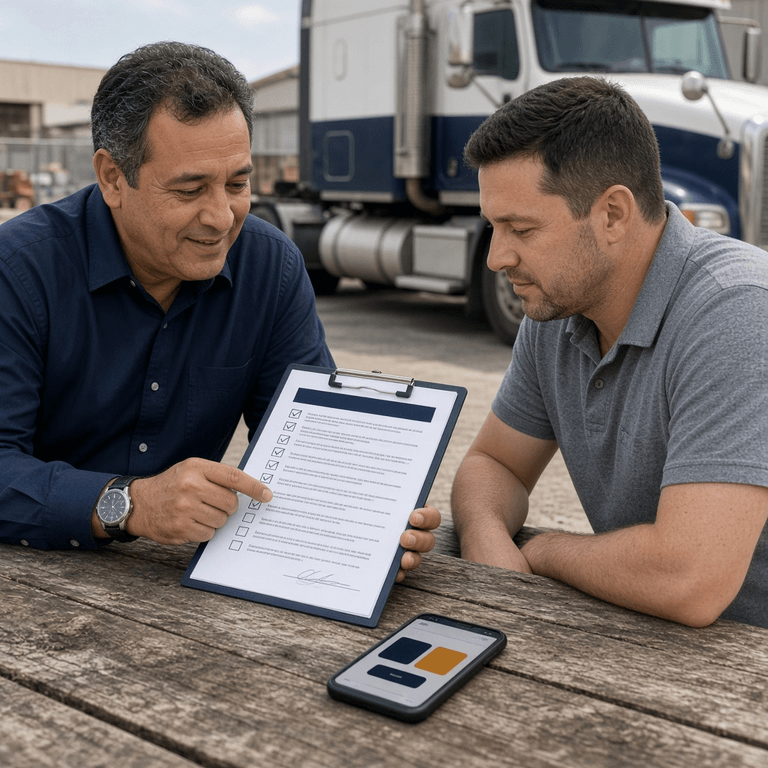
That gap is exactly where a structured, fast onboarding process adds compliance value on top of a new hire's federal training. A driver who passed ELDT and holds a valid CDL still needs company-specific instruction on your pre-trip inspection requirements and your particular software before their first solo run. Treating the 30-minute eDVIR script as the bridge between "federally licensed" and "fully operational on our fleet" closes that gap cleanly, and it gives you a documented, signed acknowledgment that the training happened — useful protection if a new driver's early inspection record is ever questioned during a DOT compliance review.
The ROI of Fast Onboarding for a Small Fleet
For a small or mid-size carrier, shaving hours off every new-hire orientation isn't a soft HR win — it shows up directly on the bottom line.
- Faster time to revenue. A driver who can legally and confidently complete inspections after 30 minutes is on a paid route the same day, instead of sitting through a half-day classroom session.
- Lower training labor cost. Every hour a safety director or senior driver spends walking a new hire through a confusing tablet menu is an hour not spent on dispatch, maintenance scheduling, or their own route.
- Reduced early-tenure risk. New hires are statistically more likely to be involved in a preventable incident or to miss an inspection item in their first weeks. A simple, well-trained workflow narrows that window of risk, which matters directly for your commercial insurance loss profile.
- Lower hardware and replacement spend. Skipping proprietary tablets for the daily inspection workflow removes a recurring capital and repair line item entirely.
- Fewer early roadside surprises. A confident, properly trained new driver is less likely to miss a defect that later turns into a costly out-of-service event — the kind of expense we break down in our out-of-service downtime cost calculator.
None of this value depends on a large capital investment. It depends entirely on choosing a platform architecture — BYOD, role-based, simple driver screen — that respects how little time a new hire's first day actually has to spare.
Your First Week With a New Hire
The 30-minute orientation is the start, not the finish. Here is a practical five-step plan to carry a new driver through their first week:
- Run the 30-minute script on day one. Use the table above verbatim, on a demo vehicle if one is available, or on the driver's actual assigned truck.
- Shadow the first two real inspections. Stand nearby, don't take over the phone, and only intervene if a genuine safety-critical item is missed.
- Check the ticket log after day three. Review the new driver's submitted inspections as an ADMIN or MANAGEMENT user to confirm checklist items are being completed thoroughly, not just tapped through.
- Close the loop on any reported defects personally. If the new hire's first real defect report moves through the ticket system, make sure they see it resolved and understand the status changes end to end.
- Collect feedback at the one-week mark. Ask what was confusing. A simple BYOD app should generate almost no complaints — if it does, that is valuable signal about a checklist item that needs clearer wording.
Fleets that run this exact pattern consistently report that eDVIR-related questions from new hires essentially disappear after the first week, freeing safety and dispatch staff to spend their time on everything else that actually requires their judgment.
Frequently Asked Questions
How long does it typically take to train a new CDL driver on a digital DVIR app?
With modern, intuitive cloud-based applications operating on the driver's own smartphone, standard eDVIR training can easily be completed during orientation in less than 30 minutes. That window covers downloading the app, logging in, walking through a practice pre-trip inspection, and submitting a test ticket with a photo attached.
Why is a Bring Your Own Device (BYOD) strategy advantageous for driver onboarding?
BYOD eliminates the steep learning curve associated with proprietary, rugged telematics tablets. Drivers utilize the iOS or Android interfaces they are already intimately familiar with, drastically reducing friction and operational pushback during training and every shift afterward.
What is the FMCSA Entry-Level Driver Training (ELDT) requirement, and does it cover DVIR training?
ELDT, required under 49 CFR Part 380 since February 7, 2022, mandates that new CDL applicants complete theory and behind-the-wheel training from a provider listed on FMCSA's Training Provider Registry before taking their CDL skills test. ELDT covers basic vehicle inspection knowledge but does not train a driver on any specific carrier's inspection software, which is why a structured company-level eDVIR orientation remains a separate, necessary step after a new hire is licensed.
Do drivers need to use their personal data plan for a BYOD DVIR app?
A well-built BYOD eDVIR app is designed to run on minimal data, syncing inspection reports and photos in small bursts rather than streaming constant telematics data. Many fleets also reimburse a flat monthly stipend toward a driver's existing phone plan, which still costs far less than provisioning, insuring, and replacing a fleet of proprietary tablets.
What happens if a new driver makes a mistake on their first digital DVIR?
A properly configured platform routes every submitted inspection through a visible ticket status and a role-based review chain, so a mistake made by a brand-new driver is caught by a mechanic or reviewer before it becomes a compliance gap. This safety net is exactly why structured onboarding on the real app, rather than a generic slideshow, matters so much in the first week.
Can a fleet mix proprietary ELD hardware with a BYOD DVIR app?
Yes. Many small and mid-size fleets keep their existing ELD hardware for hours-of-service logging while running their daily DVIR and inspection workflow on a separate BYOD smartphone app. The two systems do not need to be the same vendor, and decoupling them often lowers both onboarding time and total hardware spend.
Conclusion: Your Drivers Will Know How to Use It Before They Even Log In
Driver turnover isn't going away, and no fleet can afford to treat every new hire as a half-day training project. The fastest, most durable fix isn't a better slideshow or a stricter orientation policy — it's removing the unfamiliar hardware and the dense menus that make onboarding slow in the first place. When a new driver's eDVIR training starts on a device they already know how to use, with a screen built around one clear task at a time, the 30-minute orientation stops being a best-case scenario and becomes the standard.
That is the architecture PTI4YOU was built around: a BYOD smartphone experience for drivers, role-based screens for everyone else, and a ticket status simple enough that a brand-new hire understands it before their first shift is over. Launch your fleet on PTI4YOU today. Your drivers will know how to use it before they even log in.
Cut Your Onboarding Time to 25 Minutes
Give every new CDL hire a driver screen they already know how to use, backed by a role-based review chain that catches mistakes before they become compliance problems.
Start your 15-day free trial today. No credit card required.
Start Your 15-Day Free Trial – No Credit Card RequiredZero setup fees. Zero hardware. 25-minute driver onboarding.
Official Sources and Further Reading
- FMCSA — Entry-Level Driver Training (ELDT) Program
- FMCSA Training Provider Registry (TPR)
- eCFR — 49 CFR Part 380: Special Training Requirements
- eCFR — 49 CFR 396.13: Driver Inspection Requirements
- American Trucking Associations
This article reflects FMCSA ELDT program requirements, federal regulatory text, and industry turnover data available as of October 17, 2026.