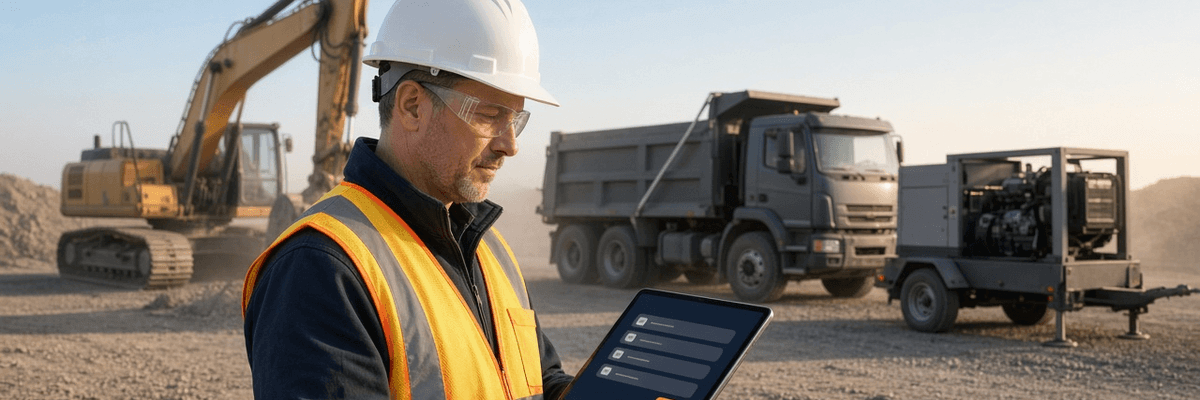
The Bottom Line Up Front: You cannot run excavators, dump trucks, generators, and trailers through one trucking-style DVIR form — and in this case study, the contractor finally stopped trying. By giving every asset type its own checklist inside a single inspection platform, a 22-asset site-work contractor lifted documented pre-shift inspections from about half of its scheduled units to 97%, cut unplanned breakdowns by more than half, and handed roughly nine hours a week back to the office. The method is repeatable, and the rest of this article shows exactly how it was set up.
How to Read This Case Study
Pinecrest Site Works is a composite built from patterns we see across construction and site-work fleets using PTI4YOU. The company name is fictional, and the figures are illustrative of the kind of results a fleet like this can reasonably expect — they are not a guarantee. Your results will depend on your asset mix, your crews, and where you are starting from. The ROI section shows the formulas so you can run your own numbers.
Key Takeaways: Digitizing Inspections for a Mixed Construction Fleet
- One form cannot fit every asset: a DOT-style DVIR asks excavator operators about turn signals and never asks about hydraulic hoses, track tension, or pins.
- Two rulebooks apply in the same yard: FMCSA governs trucks on public roads, while OSHA's 29 CFR Part 1926 governs equipment on the jobsite. A good checklist respects both.
- Small equipment should not carry big-fleet software costs: generators, light towers, and trailers need an inspection record, but not a full per-asset license each.
- Results come from better questions, not more paperwork: the contractor in this case recorded more defects, caught them earlier, and spent far less time on the paper.
Meet Pinecrest Site Works: 22 Assets, Three Job Sites, One Paper Problem
Pinecrest Site Works is a 40-person site-work and utility contractor. It digs foundations, lays storm and water line, and hauls most of its own material. Like many companies its size, it grew faster than its paperwork. By the time it came to us, it had three active job sites and 22 assets:
- 4 tandem-axle dump trucks
- 2 flatbed trucks (one regularly hauls the mini-excavator)
- 2 pickups, used by the superintendent and the service crew
- 3 excavators: two 20-ton crawlers and one mini
- 1 wheel loader
- 2 skid steers
- 4 towable generators and light towers
- 4 trailers: three equipment trailers and one unpowered tool and water trailer
Look at that list again. It is a trucking fleet, a heavy-equipment fleet, and a pool of support gear sharing one yard, one shop, and one office. That is the ordinary shape of a construction fleet, and it is exactly the shape most inspection software was never designed for.
What the paperwork looked like
The dump trucks and flatbeds carried a DOT-style DVIR booklet. The excavators, loader, and skid steers shared a single-page “equipment daily” sheet that a former foreman wrote years earlier: fourteen lines, several for things like mirrors and turn signals that half the machines don't have, and not one line for hydraulic hoses. The generators, light towers, and trailers had nothing at all. Their inspection program was the honor system.
Three job sites meant three stacks of paper, collected on Fridays and typed by one office administrator into a spreadsheet nobody else trusted. The shop foreman learned about most defects the way shop foremen always do: when something stopped working.
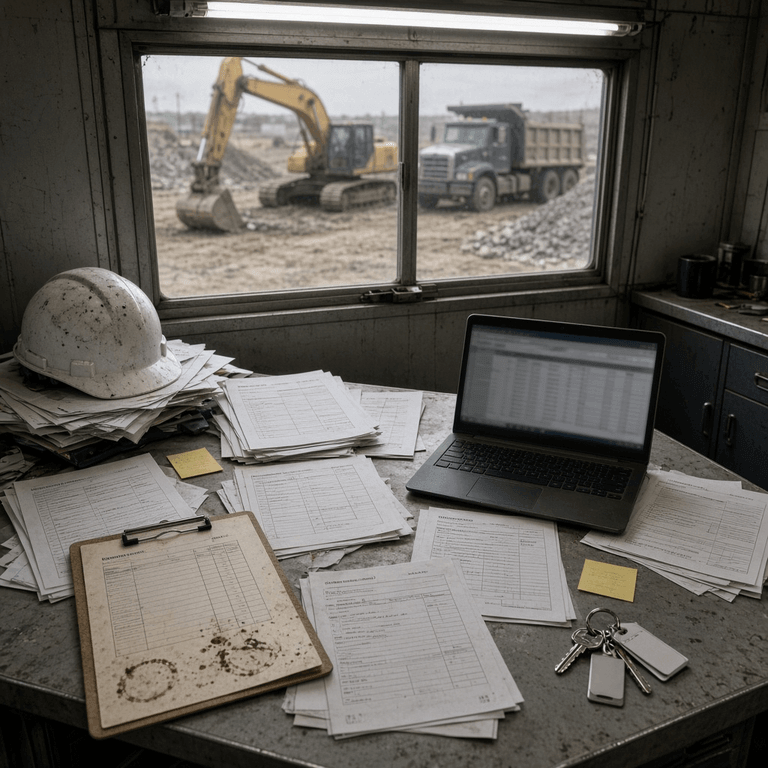
The Breaking Point: A Weeping Hose and an Empty Folder
The wake-up call came on a trench job. A 20-ton crawler excavator blew a hydraulic hose on the boom cylinder mid-dig. Nobody was hurt, but hot hydraulic oil ended up across the trench floor, and the crew lost two days waiting on a replacement hose and a rental machine.
What stung came afterward. The operator mentioned that the hose had been “weeping a little” for about two weeks. Nobody wrote it down, because the sheet had no line for it. Then the company's insurance loss-control representative asked to see the inspection history for that machine, and the answer was a folder holding three crumpled sheets.
That was the moment the operations manager stopped thinking of inspections as a paperwork chore and started thinking of them as evidence. If you have ever had to prove to an adjuster or an auditor that a machine was checked, you know the feeling. We wrote about the downstream cost of that gap in our guide on how electronic DVIRs can lower commercial truck insurance premiums, and the same logic applies to the yellow iron.
Why Standard Trucking DVIR Apps Break Down on Yellow Iron
Trucking-first DVIR apps are built around the inspection categories for on-road commercial vehicles — brakes, tires, lights, steering, and coupling devices. Those categories barely overlap with the failure points on a track machine, so they produce either meaningless data or no data at all.
Pinecrest had looked at digital options before and walked away, and the reasons are worth spelling out, because they are the same reasons most construction fleets stall:
- The questions were wrong. An excavator operator was asked about turn signals and trailer connections but never about hydraulic hoses, track tension, boom pins, or the quick coupler lock — the things that actually take a machine down.
- Operators rubber-stamped the screen. When half the items don't apply, people tap “OK” down the whole list. That is pencil whipping by design, the same behavior we describe in our guide to how digital DVIR software enforces real fleet inspections.
- The workflow assumed a driver, not an operator. Equipment is inspected at the start of a shift in a yard or on a slope, often with no cell signal, by someone who may never touch a public road.
- Non-powered and support assets were invisible. A towable generator has no odometer and no driver, so most apps simply had no place for it.
We covered the template side of this in Customizing Digital Inspections: From Semi-Trucks to Construction Equipment and the cost side in our breakdown of the per-asset pricing trap for mixed construction fleets. Pinecrest ran into both problems at once.
See Asset-Specific Checklists Running on Your Own Equipment
Tell us what is in your yard — excavators, dump trucks, generators, trailers — and we will walk through how each one would be inspected in PTI4YOU, using your machines instead of a generic demo fleet.
Book a Construction Fleet DemoNo credit card required. Zero hardware. Operators use their own phones.
Two Rulebooks, One Yard: DOT and OSHA
Before anyone built a checklist, Pinecrest's operations manager sorted the fleet by which rules actually apply. This step matters more than most people expect, and it is where a lot of confusion starts. This is general information, not legal advice; confirm requirements for your operation with your safety professional or counsel.
Trucks on public roads: FMCSA
Dump trucks and flatbeds that operate as commercial motor vehicles in interstate commerce fall under FMCSA's inspection rules. That means a driver vehicle inspection report under 49 CFR 396.11, the driver's pre-trip review under 49 CFR 396.13, and three months of record retention. Many states apply similar rules to intrastate carriers. If you want the full signature loop, our guide to the FMCSA 396.11 three-signature cycle walks through it step by step. And if you rent or lease trucks, read who is responsible for DVIRs on leased and rented vehicles before the first rental arrives.
Equipment on the jobsite: OSHA 29 CFR Part 1926
Once the machine is behind the fence, OSHA's construction standards take over, and they are written differently from the trucking rules:
- 29 CFR 1926.20(b)(2) says safety programs must provide for frequent and regular inspections of the job sites, materials, and equipment by competent persons designated by the employer.
- 29 CFR 1926.601(b)(14) requires motor vehicles operating on an off-highway jobsite to be checked at the beginning of each shift — service and parking brakes, tires, horn, steering, coupling devices, seat belts, operating controls, and safety devices — with all defects corrected before the vehicle goes into service.
- 29 CFR 1926.600 and 1926.602 set the general equipment and earthmoving equipment requirements that sit alongside the manufacturer's operating instructions.
- 29 CFR 1926.1412 spells out shift, monthly, and annual inspections for cranes and derricks, including written records for the monthly (kept at least three months) and annual (kept at least 12 months) inspections.
So does OSHA require daily documented inspections? OSHA requires equipment to be inspected, and for jobsite vehicles it explicitly requires a start-of-shift check. It does not spell out a written daily record for every machine. But an inspection you cannot prove is an inspection you will struggle to defend after an incident, an insurance claim, or a citation. That is why Pinecrest decided to document every pre-shift check on every unit.
One more note for readers in Canada: OSHA does not apply north of the border. Provincial and territorial occupational health and safety regulations govern equipment on construction sites (Ontario's construction projects regulation, O. Reg. 213/91, is one example), and on-road commercial vehicles follow NSC Standard 13. See our Canadian NSC Standard 13 compliance guide for the trucking side. The checklist-per-asset approach below works the same way in both countries.
The Solution: A Different Checklist for Every Asset Type
The core idea is simple: every asset type gets its own vehicle type and its own checklist, and the operator only ever sees the questions that apply to the machine in front of them. PTI4YOU supports that with configurable item groups per type, so one platform can hold a DOT inspection for a dump truck and a hydraulics-and-undercarriage inspection for an excavator side by side.
Pinecrest's administrator used the platform's built-in vehicle types where they fit — flatbed and open top — and the “Other / Specialized” type for everything that isn't a road truck. Each type was then assigned its own checklist, built from the manufacturer's operator manual and the regulations above. Here is the structure they ended up with:
| Asset Type | Vehicle Type Setup | What the Checklist Focuses On |
|---|---|---|
| Dump trucks (4) | Open top | Full DOT items plus hoist cylinder, body-up safety prop, tailgate latches, tarp system, backup alarm |
| Flatbed trucks (2) | Flatbed | Full DOT items plus straps, chains, binders, winches, headache rack, tie-down points |
| Excavators (3) | Other / Specialized | Fluids, hydraulics, undercarriage, bucket and pins, quick coupler, cab safety, alarms |
| Wheel loader and skid steers (3) | Other / Specialized | Articulation lock, lift arm support, restraint bar, attachment lock, tires, hydraulic lines |
| Generators and light towers (4) | Other / Specialized | Fuel and leaks, fluid levels, battery, cords and receptacles, guards, emergency stop, mast latch |
| Trailers (4) | Other / Specialized | Coupler and safety chains, breakaway cable, lights, tires and wheel ends, ramps, tie-down anchors |
| Pickups (2) | Other / Specialized | Light-duty vehicle check: brakes, tires, lights, fluids, tow hitch, emergency kit |

What the excavator checklist actually asks
This is the part most competitor articles skip, so here is the real structure. Pinecrest's shop foreman drafted the excavator checklist from the operator manual, then trimmed it after the pilot. It runs in the order an operator naturally walks the machine:
- Walkaround and ground conditions: people and obstacles clear, machine level, no fresh fluid on the ground under the unit.
- Fluids and filters: engine oil, coolant, hydraulic oil level, fuel, DEF where fitted, air filter indicator.
- Hydraulics: hoses for chafing or weeping, cylinder rods for scoring, fittings and couplings for wet spots.
- Undercarriage: track tension, rollers, idlers, sprockets, missing hardware, packed mud or debris.
- Boom, stick, and pins: pins and bushings for play, grease points serviced, cracks at weld lines.
- Bucket and attachment: cutting edge and teeth, quick coupler lock confirmed, safety pin in place.
- Cab and controls: seat belt, ROPS/FOPS condition, mirrors and cameras, joystick function, glass and wipers.
- Lights, alarms, and safety gear: work lights, travel and swing alarms, horn, fire extinguisher.
Each item is a simple OK or defect. A defect opens a photo prompt and a note, and the report moves through the same visible status chain as any other ticket — Draft while the operator is working, Created once it is submitted, and In Progress when the shop picks it up. If you want the details of how that ticket chain works for a brand-new user, our piece on training new hires on eDVIRs in under 30 minutes explains why the operator side stays so simple.

Why the same platform still handles the trucks
The dump trucks kept the full DOT inspection, because they leave the site and hit public roads. The platform's role-based review chain, the same one that supports the three-signature loop, stayed in place for them. The only addition was a handful of dump-specific lines for the hoist and body. So the same office, the same shop foreman, and the same dashboard now cover both rulebooks. Operators and drivers use their own phones, which also means no rugged tablets to buy, charge, or replace.
The Rollout: Pilot Machine to Full Yard in Three Weeks
Pinecrest's operations manager made one decision that saved a lot of grief: start with the shop and the machines, not with a company-wide announcement.
-
Week 1: Draft and pilot
The shop foreman and the administrator built templates for three asset types from the manuals. Then one excavator, one dump truck, and one generator went live with two operators who volunteered. The first excavator operator finished his checklist in about six minutes and said it was the first time the form had asked about something on his machine. -
Week 2: Main job site
Every unit on the largest site moved over. The foreman reviewed new tickets every morning and called out the ones that were clearly useful, so crews saw that a flagged defect actually led to a repair rather than a lecture. -
Week 3: All three sites, paper retired
The last two sites and the support equipment came on. The old booklets went into a box for the required retention period, and the clipboards came off the dashboards. -
Days 30–60: Tighten the lists
The team removed nine checklist items that were always marked not applicable and added six after reviewing real defects that had slipped past the first draft. A checklist is a living document, and the data told them what to cut and what to add.
Time-on-task flags also did a quiet job here. A couple of operators who finished full machine checks in under a minute got a friendly conversation, not a write-up, and their completion times settled into a believable range within a week.
Generators, Light Towers, and Trailers Without the Ghost-Asset Bill
Of Pinecrest's 22 assets, ten were what you could call support equipment: two skid steers, four generators and light towers, and four trailers. Some of those sit idle for weeks. Under a strict per-asset license model, every one of them carries the same monthly fee as a dump truck that runs five days a week. That is the ghost-asset problem we unpack in The Per-Asset Pricing Trap, and it nudges fleets toward the wrong decision: leaving small equipment off the system to save money.
PTI4YOU plans are built around a unit-count limit instead. Pinecrest chose the plan whose limit covered its roster with room to grow, and every generator, light tower, and trailer went into the same system as the trucks and excavators without a separate full license each. Nobody had to decide whether a light tower was “worth tracking.” Because the record exists, the 4 p.m. question — “did anyone look at that generator before we sent it to the new site?” — has an answer. Check current plan details with our team for your own roster.
Trailers deserved special attention. They were the quiet source of risk: no driver, no odometer, and a habit of getting hooked up by whoever was closest. We go deeper on that handoff in our article on managing DVIRs for drop-and-hook combination vehicles, but the lesson applies on a jobsite too: an asset nobody owns is an asset nobody inspects.
The Results: Twelve Months of Numbers
Comparing the twelve months before go-live with the twelve months after, the composite Pinecrest fleet documented 97% of scheduled pre-shift inspections (up from 54%), caught 82% of hydraulic and undercarriage issues at inspection instead of at breakdown (up from 35%), cut unplanned breakdowns from 22 to 9, and recovered about nine hours of administrative time every week.
| Metric | Paper Process | PTI4YOU Checklists | Change |
|---|---|---|---|
| Documented pre-shift inspection, units scheduled to run | 54% | 97% | +43 points |
| Hydraulic and undercarriage issues caught at inspection, not at breakdown | 35% | 82% | +47 points |
| Unplanned on-site breakdowns | 22 | 9 | −13 |
| Assets covered by any written inspection | 14 of 22 | 22 of 22 | +8 assets |
| Defects recorded per month (average) | 6 | 38 | 6x more visibility |
| Weekly admin time on inspection paperwork | 11.0 hours | 2.0 hours | −9.0 hours |
| Roadside violations and regulator fines | 2 violations | 0 | Zero |
One number deserves an explanation. Recorded defects jumped from about six a month to thirty-eight, and that is a good thing. The fleet did not suddenly get worse. For the first time, somebody could see the weeping hoses, the loose pins, and the worn tracks that had always been there. Most of those defects were small, cheap to fix, and caught before they turned into a two-day outage.

The ROI math, so you can run your own
Here is how the composite fleet's annual savings add up. Swap in your own labor rate and your own cost per breakdown:
| Line Item | Formula | Annual Value |
|---|---|---|
| Admin labor recovered | 9.0 hours × $38 loaded rate × 52 weeks | $17,784 |
| Breakdowns avoided | 13 fewer events × $1,200 assumed average cost per event | $15,600 |
| Estimated annual benefit | Before subtracting your plan cost | about $33,400 |
That total does not count the harder-to-price benefits: a cleaner insurance conversation, fewer roadside violations, and the injuries that never happened because a failing hose or loose pin was caught on a Tuesday morning rather than a Friday afternoon. If you want a way to price the downtime side for trucks specifically, our out-of-service downtime cost calculator is a good starting point, and the broader maintenance angle is in EPA 2027 and the ROI of predictive fleet maintenance.
What We Would Do Differently
No rollout is perfect, and this one wasn't. If Pinecrest were starting over, these are the adjustments the team says they would make on day one:
- Cut harder, earlier. The first drafts were too long. Nine always-N/A lines wasted operator time for two months before anyone trimmed them.
- Make the shop foreman the owner of the item list. The person who fixes the machine knows which questions matter. The office should not be guessing.
- Require photos on defects, not on every OK. Photo prompts on passing items slowed people down without adding value.
- Tell crews it is not a gotcha. The fastest way to get honest inspections is to show operators that reporting a defect gets it fixed.
- Handle rentals on arrival. Rented equipment should be inspected against the same template the day it is delivered, so existing damage is on record before the first shift.
Is This the Right Approach for Your Fleet?
If you run a mixed construction fleet, this approach is likely a fit when most of the following are true:
- You have at least three distinct asset types that fail in different ways, such as road trucks, track or wheeled equipment, and generators or trailers.
- Some of your inspection data lives on paper, in texts, or in someone's head.
- A meaningful share of your assets are seasonal, backup, or project-specific.
- Operators already carry a smartphone and your sites sometimes lose signal.
- An insurer, owner, or auditor has asked, or will ask, for inspection history on a specific machine.
| Approach | Where It Works | Where It Breaks Down |
|---|---|---|
| Paper booklets and Excel | Very small fleets with a handful of units | No searchable history, slow defect follow-up, no proof when an auditor or insurer asks |
| Trucking-first DVIR app | On-road trucks and trailers | No place for hydraulics, tracks, booms, or generators; operators rubber-stamp irrelevant items |
| Per-asset DVIR or maintenance platform | Fleets of mostly daily-use powered vehicles | Idle and support equipment carries a full license, which pushes fleets to under-track (see our pricing trap breakdown) |
| Asset-type-aware platform with unit-count plans (PTI4YOU) | Mixed fleets of trucks, equipment, trailers, and support gear | Needs a few hours of upfront template work per asset type, which is where the manual and your shop foreman come in |
For a broader view of the software market beyond construction, our comparison of the best DVIR apps for small and medium fleets covers the field. And if you want the on-road version of this story, the 22-truck flatbed fleet case study shows how the same approach worked for a pure trucking operation.
How to Build Your Own Equipment Checklists in Five Steps
You do not need to buy anything to start thinking this way. This is the process Pinecrest followed, in plain language:
- Inventory and group. List every unit you own or rent, then group them by how they fail: road trucks, track and wheeled equipment, generators and light towers, trailers. One group, one checklist.
- Start from the manual and the rulebook. Pull the operator manual for each machine type. Layer in 49 CFR 396.11 for road trucks and 29 CFR 1926.601 and 1926.20 for jobsite equipment.
- Build one template per asset type. Create a vehicle type and checklist for each group. Order the items the way an operator walks the machine, not the way a regulation is numbered.
- Pilot for a week. Put one excavator, one truck, and one piece of support equipment on the new lists, and ask the operators what is unclear, redundant, or missing.
- Review at 30 days. Cut the always-N/A items, add lines for any defect that slipped through, and then roll the templates out to the rest of the fleet.
Heavy Equipment Daily Inspection Template Pack (Excel & PDF)
Get starter checklists for excavators, wheel loaders, skid steers, dump trucks, generators, light towers, and equipment trailers. They are drafted around OSHA's pre-shift inspection requirements and designed to be adapted to your manufacturer's operator manual and your jobsite.
Request the Template PackDelivered by email. No credit card required.
Frequently Asked Questions
Do OSHA regulations require daily documented inspections for construction equipment?
OSHA requires construction equipment to be inspected, but it does not use the words “documented daily inspection” for every machine. Under 29 CFR 1926.601(b)(14), motor vehicles on an off-highway jobsite must be checked at the beginning of each shift and defects corrected before the vehicle goes into service. 29 CFR 1926.20(b)(2) requires frequent and regular inspections of equipment by competent persons. Cranes under 29 CFR 1926.1412 have explicit shift, monthly, and annual inspections, with written records for the monthly and annual ones. For other equipment a written record is not always spelled out, but without one you cannot prove the inspection happened, which is why most contractors document every pre-shift check.
Can I use standard trucking DVIR software for yellow iron excavators?
Usually not well. Trucking-first apps are built around on-road categories such as brakes, tires, lights, steering, and coupling devices, and they leave little room to inspect hydraulics, tracks, booms, buckets, and quick couplers. Operators need a platform that supports configurable item groups for each asset type, so an excavator sees excavator checks and a dump truck sees DOT checks.
What should an excavator daily inspection checklist include?
A solid excavator checklist covers fluids and filters, hydraulic hoses and cylinders, undercarriage and track condition, bucket and cutting edge, boom and stick pins and bushings, the quick coupler lock, cab safety items such as the seat belt, mirrors, and controls, and lights, alarms, and the fire extinguisher. Start from the manufacturer's operator manual and tailor it to the machine and the jobsite.
Does a dump truck need a DVIR if it works both on public roads and on the jobsite?
If the truck is a commercial motor vehicle operating in interstate commerce, FMCSA's driver vehicle inspection report rules in 49 CFR 396.11 and 396.13 apply, and many states apply similar rules to intrastate operations. The OSHA start-of-shift check for jobsite vehicles applies on top of that. One dump truck checklist can cover both the DOT items and the hoist, body, tailgate, and backup alarm checks.
How do you inspect generators, light towers, and small trailers without paying a full license for each?
Look for a platform whose plans are sized by a unit-count limit rather than a full per-asset license for every item you add. PTI4YOU plans work this way, so a contractor picks the plan that covers its roster and can still track generators, light towers, and trailers in the same system as its trucks and excavators. Confirm current plan details with the PTI4YOU team.
Can equipment operators complete inspections when the jobsite has no cell signal?
Yes. PTI4YOU works offline: the inspection is stored on the operator's phone and uploaded automatically once connectivity returns, so remote sites and trench jobs do not block a pre-shift check.
How long should we keep equipment inspection records?
Commercial motor vehicle DVIRs must be kept for three months from the date the report was prepared under 49 CFR 396.11. Crane monthly inspection records must be kept for at least three months and annual inspection records for at least 12 months under 29 CFR 1926.1412. For other equipment there is no single federal retention number, so many contractors keep records for the life of the job plus the period their insurer and attorney recommend.
How long does it take to roll out custom checklists across a mixed fleet?
In the composite case study in this article, the contractor went from a one-day pilot to every unit on all three job sites in three weeks, with the first templates drafted in week one. Your timeline depends mainly on how many distinct asset types you run and how quickly your shop foreman can review the item groups.
Conclusion: Ask Each Machine the Right Questions
The lesson of the Pinecrest case is not that paper is bad or that software is magic. It is that a mixed fleet fails in mixed ways, and an inspection program that asks every machine the same questions will miss the problems that matter most. When an excavator gets excavator questions, a dump truck gets DOT questions, and a generator gets generator questions, operators stop rubber-stamping, shop foremen get a defect list they can act on, and the office finally has a record that holds up when an insurer or auditor asks.
That is what PTI4YOU was built to do: one inspection platform, custom checklists for every asset type, operators on their own phones, and plan limits that do not punish you for tracking every generator and trailer you own. If your yard looks anything like Pinecrest's, the fastest way to see whether it fits is to look at your own equipment in the app.
Get a Demo Built Around Your Construction Fleet
We will set up a sample checklist for your excavators, trucks, and generators, show you how defects flow to your shop, and walk through what your plan would look like for your actual asset count.
Start your 15-day free trial today. No credit card required.
Book Your Construction Fleet DemoZero setup fees. Zero hardware. Custom checklists for every asset type.
Official Sources and Further Reading
- eCFR — 29 CFR 1926.20: General safety and health provisions
- eCFR — 29 CFR 1926.600: Equipment
- eCFR — 29 CFR 1926.601: Motor vehicles
- eCFR — 29 CFR 1926.602: Material handling equipment
- eCFR — 29 CFR 1926.1412: Inspections (cranes and derricks)
- eCFR — 49 CFR 396.11: Driver vehicle inspection report(s)
- eCFR — 49 CFR 396.13: Driver inspection
This case study is a composite example. Regulatory references reflect the eCFR text available as of October 24, 2026. Regulations change, and this article is general information rather than legal advice.